HR platform · Web app & PWA · 2025

TalentOS

The HR platform of a multi-subsidiary group working in AI, IoT, electronics and medical. One place where employees, managers and HR handle requests, hiring, onboarding and talent decisions, with AI doing the repetitive work.
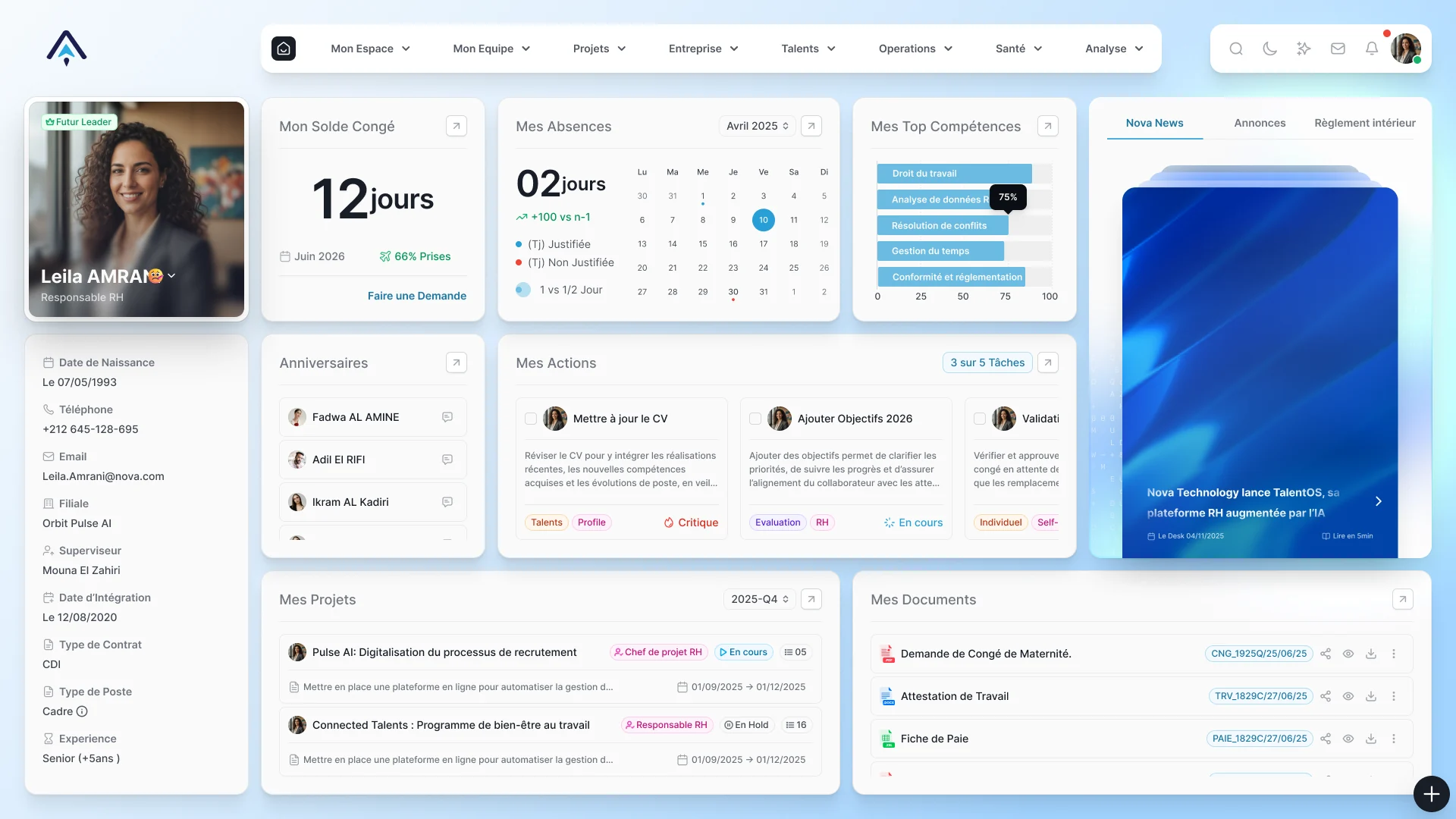
Employee dashboard

About

Nova Group (anonymised) is a technology group whose subsidiaries work across AI, IoT, electronics and medical. Each subsidiary ran HR its own way, on email, paper and an HRIS that only HR administrators ever opened.

We mapped their HR processes, designed and built TalentOS for 1,200 users across five roles, added AI where it removes real work, and rolled it out to the whole group in nine months. We still run and improve it.

Users0across 5 roles
Scope180+screens designed
Rollout0months, audit to group
What we did
Process mappingUX researchProduct & UI designDesign systemWeb app developmentAI featuresRun & improvement
Fields
AI, IoT, electronics, medical
Platform
Web app, installable as a PWA
AI in the product
CV analysis, candidate matching, talent recommendations, onboarding assistant
Languages
French interface, Arabic and English planned
Roles
EmployeeManagerHRHR directorExecutive management
Solution

One platform, five roles, every claim on screen.

Each chapter below answers one of the problems above and shows the real screen that solves it. Hover the numbered points to see what each part does.

Weeks 1–6Map

42 processes, 36 interviews, 5 user roles, a prioritised roadmap.

Weeks 5–16Design

Design system and 180+ screens, tested with 24 users before code.

Weeks 12–34Build

Two-week sprints, one module in pilot every month, AI added where it saves time.

Week 30 →Roll out & run

One pilot subsidiary first, then the rest of the group in three waves, done by month nine. A release every two weeks since.

01

Evaluation becomes a year-round cycle.

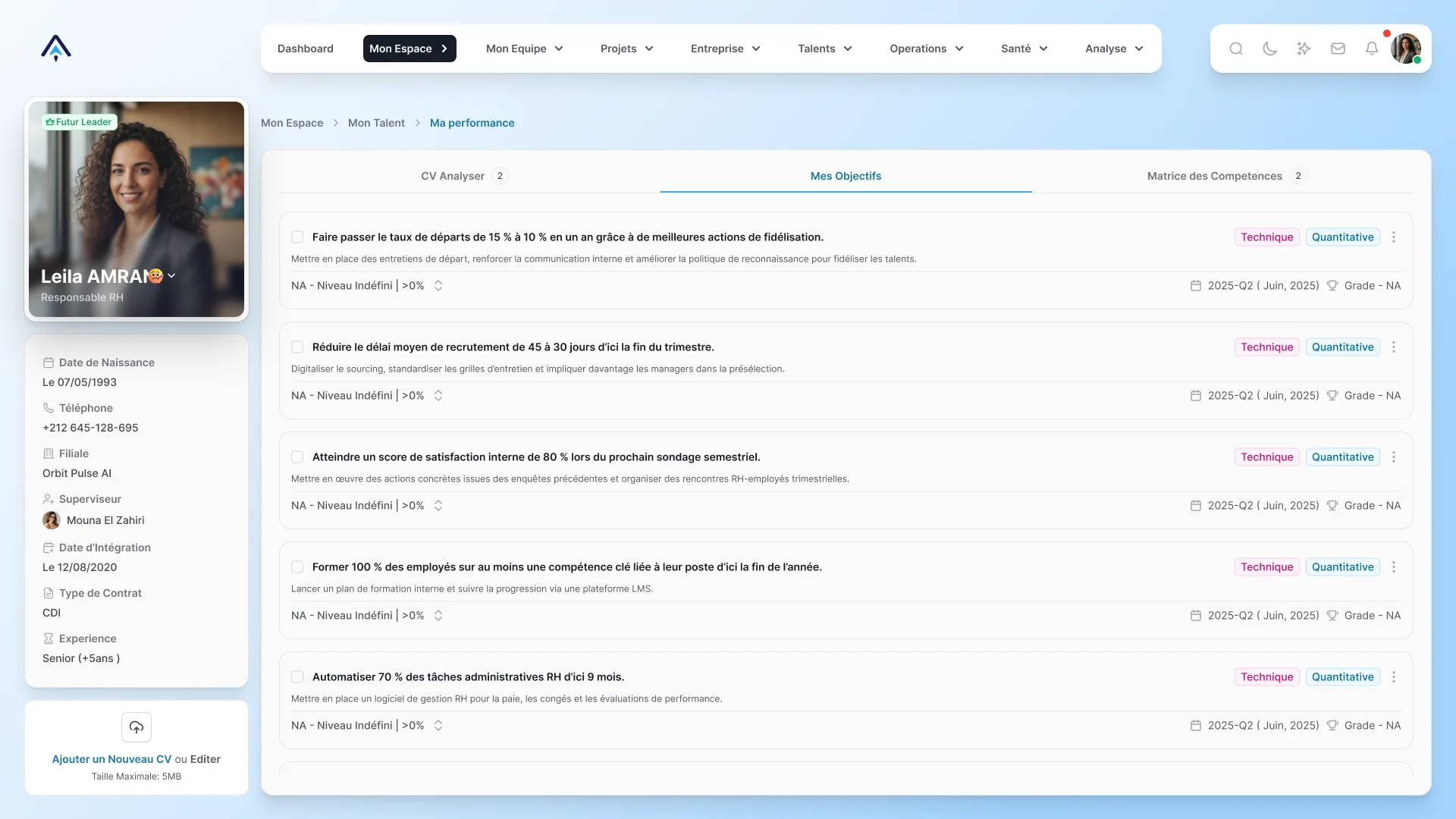
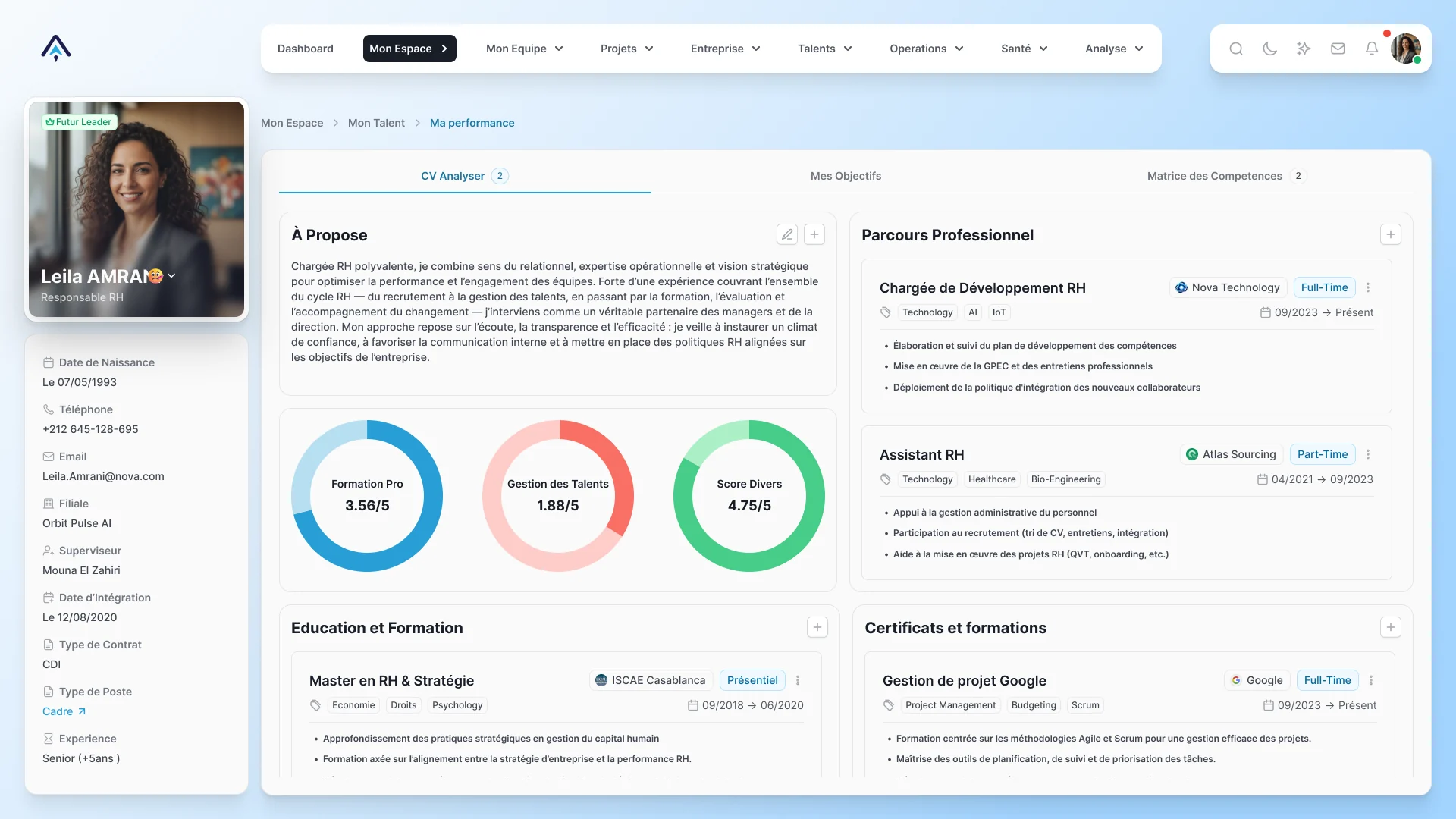
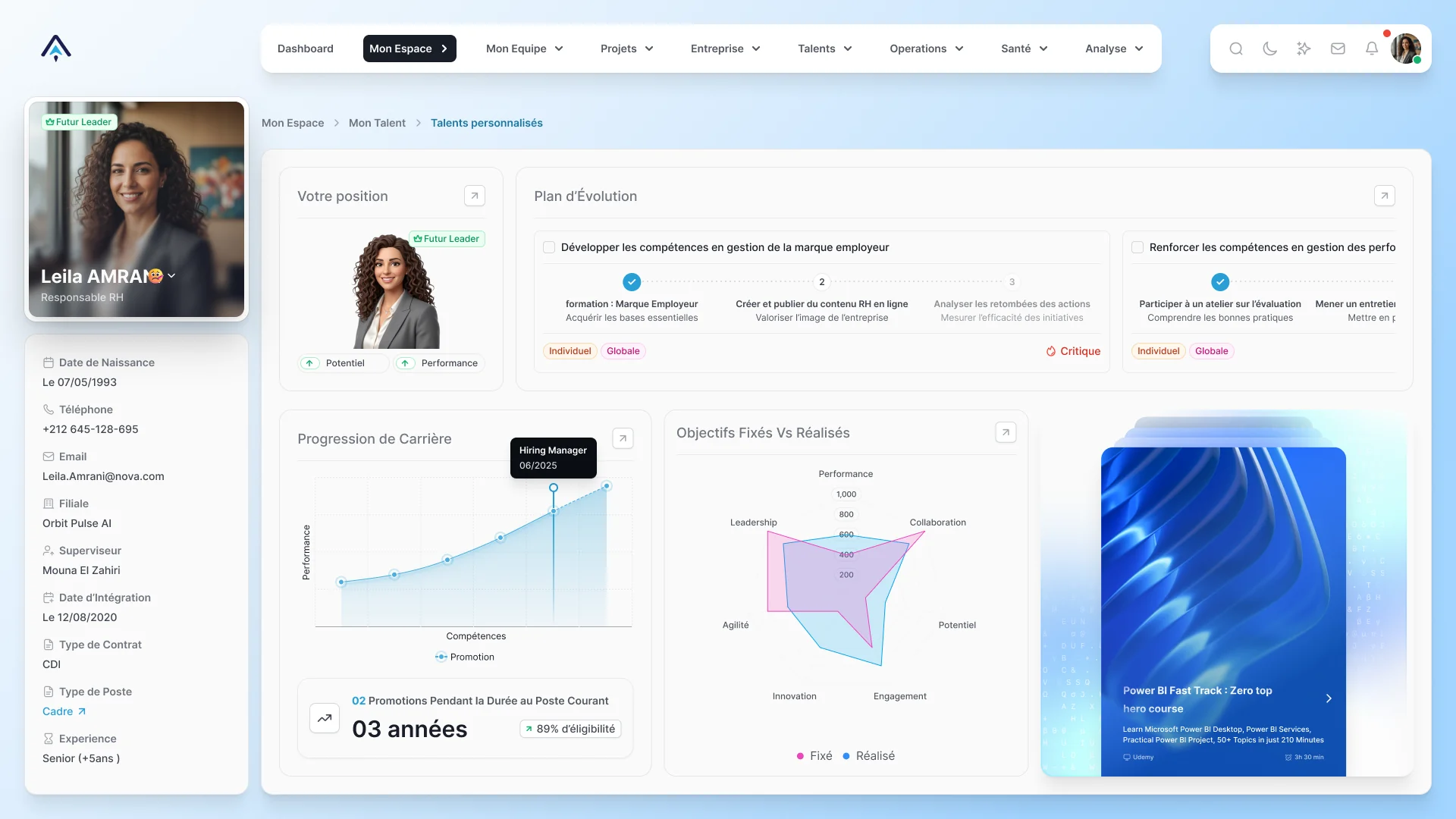
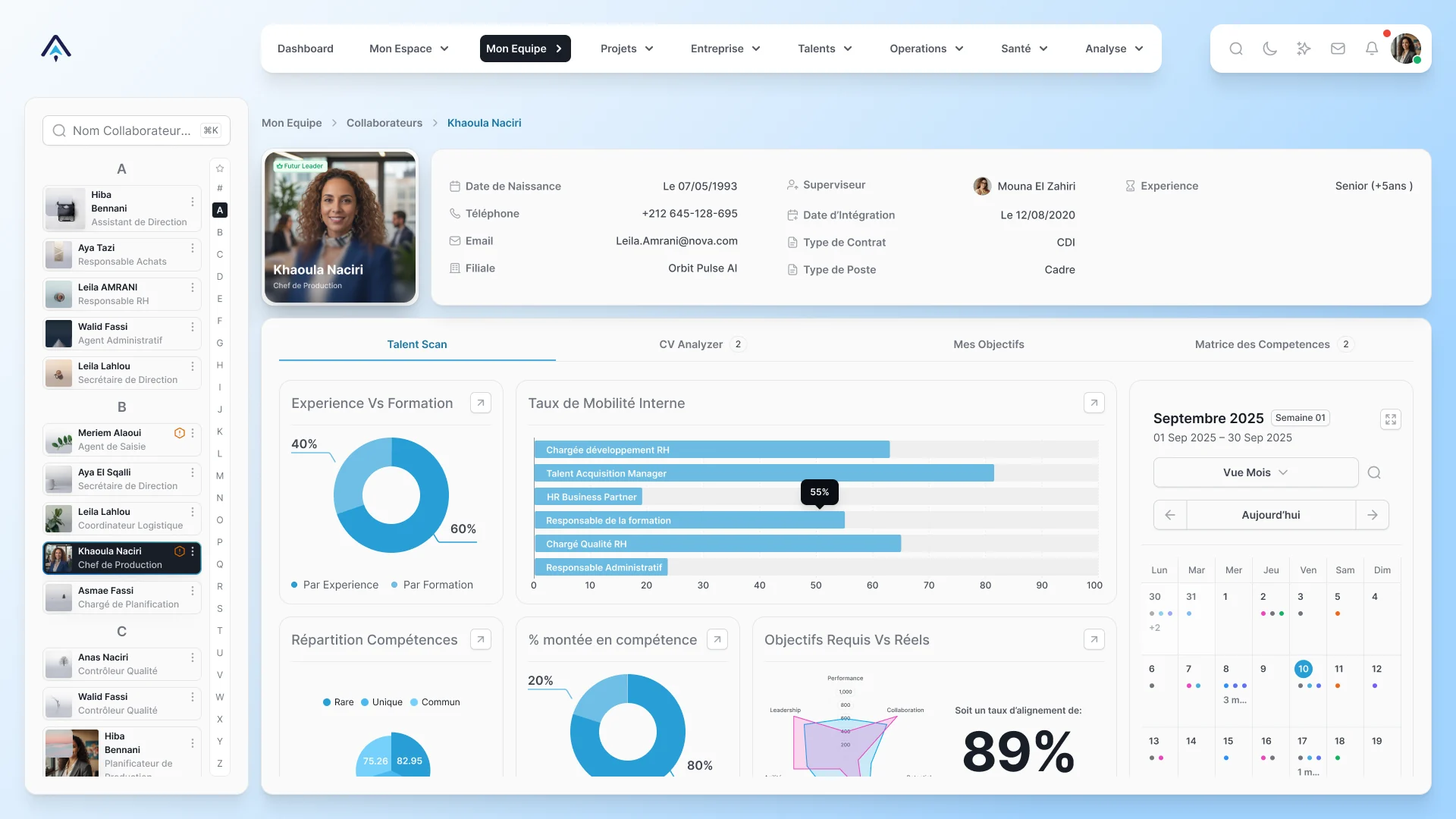
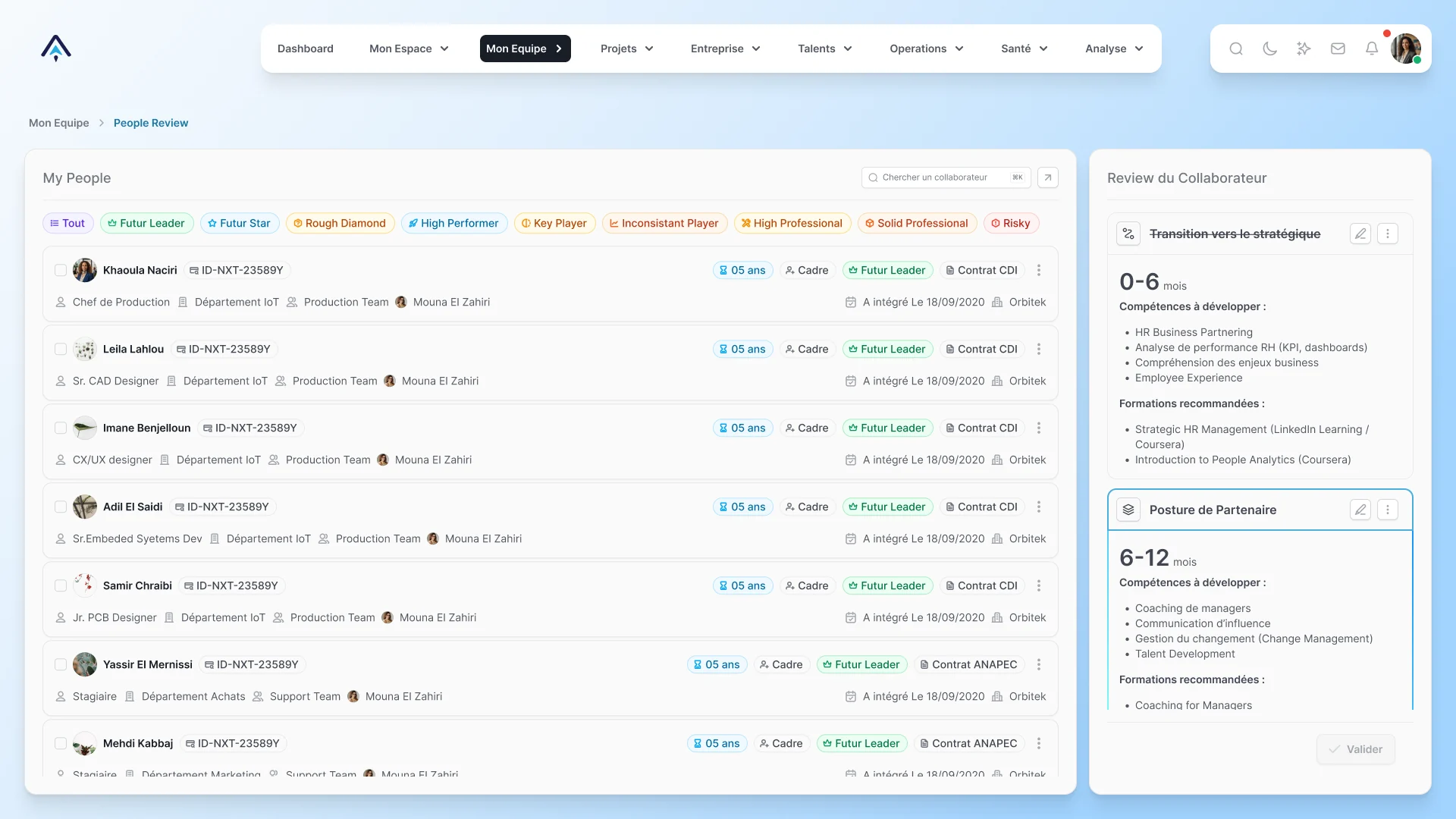
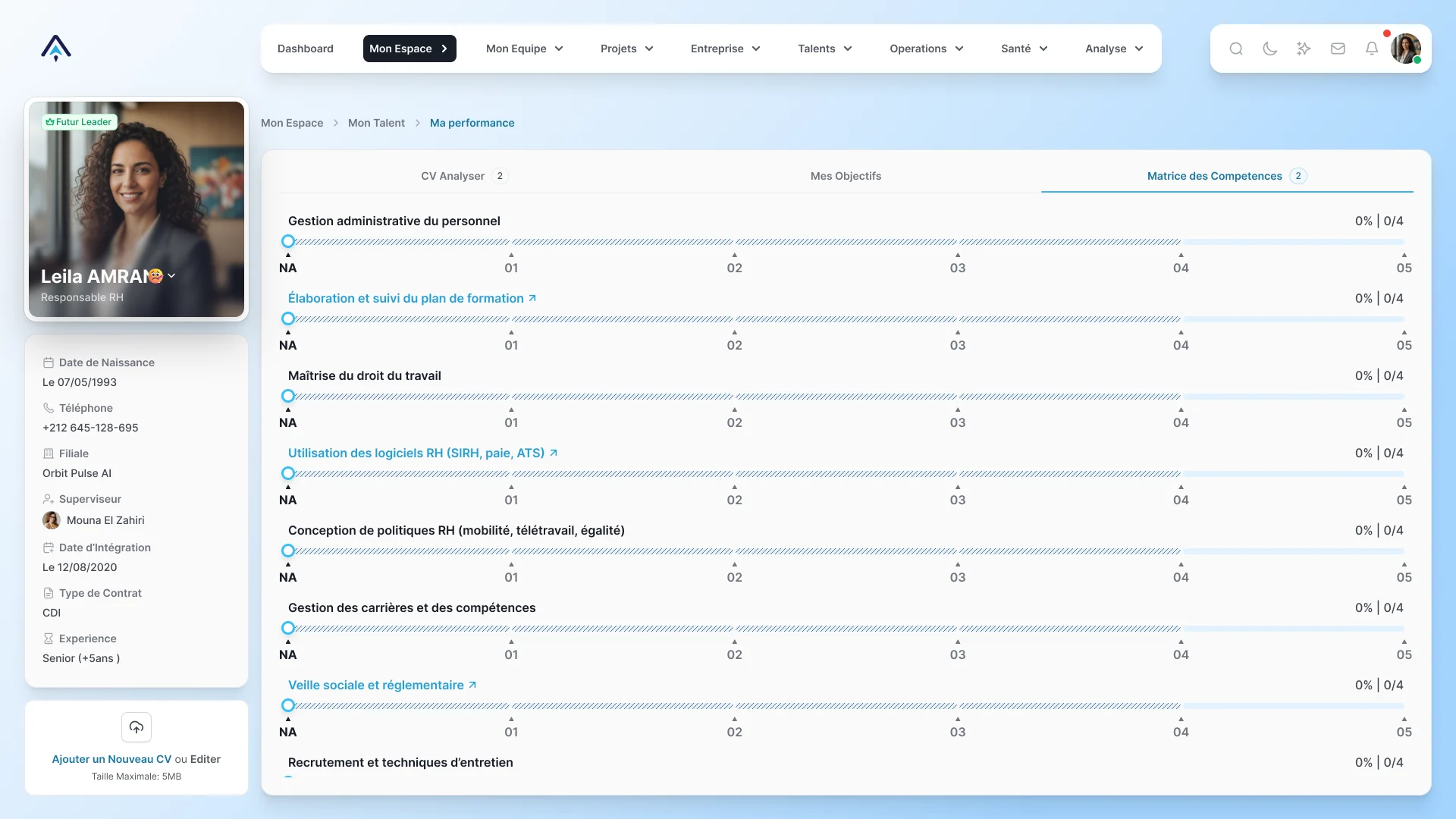
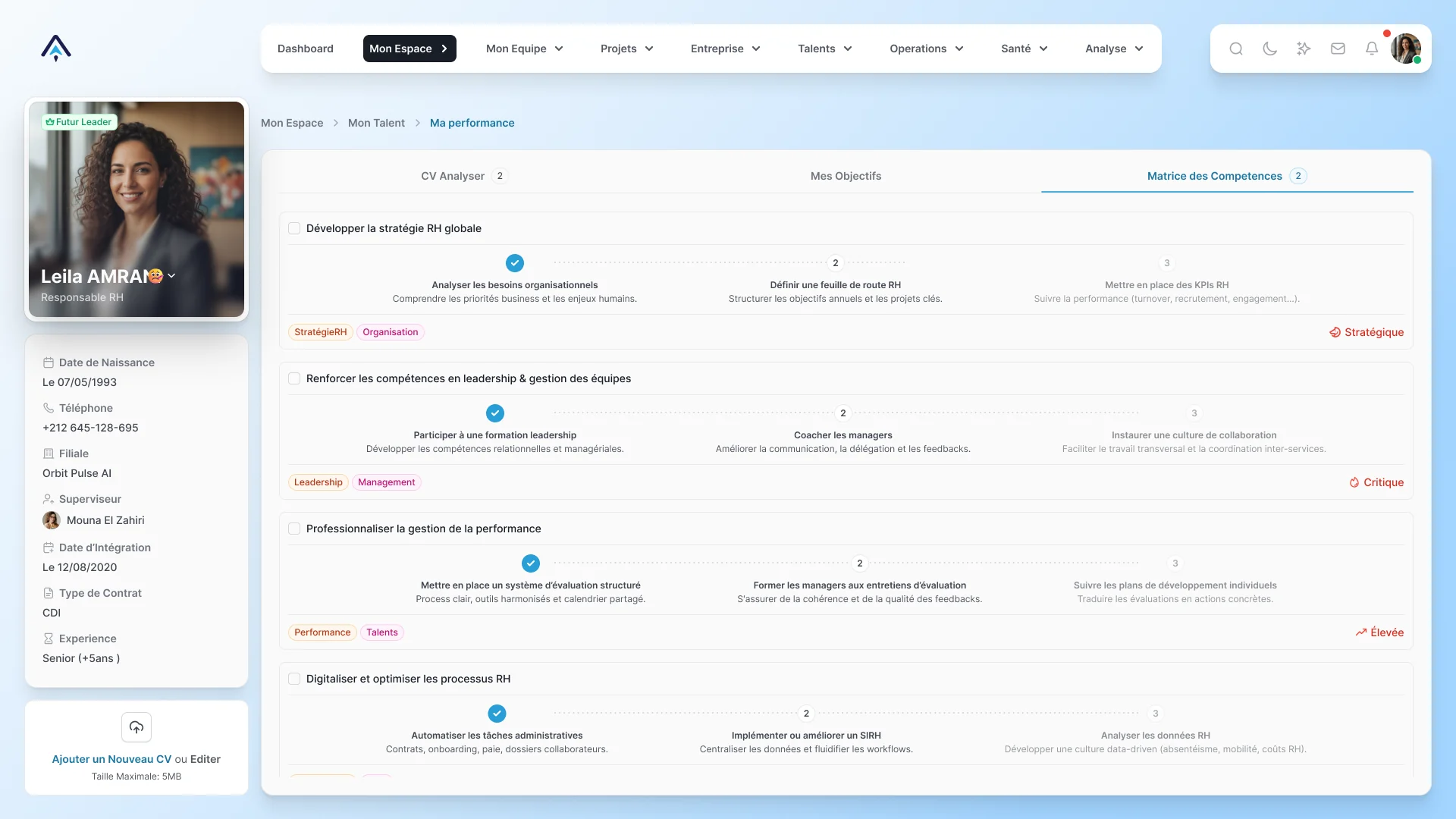
Each employee has one performance space with three tabs: a profile built by AI from their CV, objectives with a period and a grade, and a skills matrix rated level by level. Gaps turn into a development plan with concrete steps. Managers see the same data for every person, and the talent review proposes the skills to develop and the trainings to follow, six and twelve months ahead.
Employee side
Skills matrixEvery skill of the role, rated from NA to 5, with the gap to the target.
Development planGaps become goals split into three steps, each with a priority.
CV AnalyserThe AI reads the CV and builds the profile the evaluation starts from.
My talent9-Box position, development plan, career progression and goals set vs achieved.
Manager side
Employee profileThe same evaluation tabs, seen by the manager, with mobility and required vs actual goals.
Review & recommendationsSkills to develop and trainings to follow at six and twelve months, validated by the manager.
02

A home people actually open.

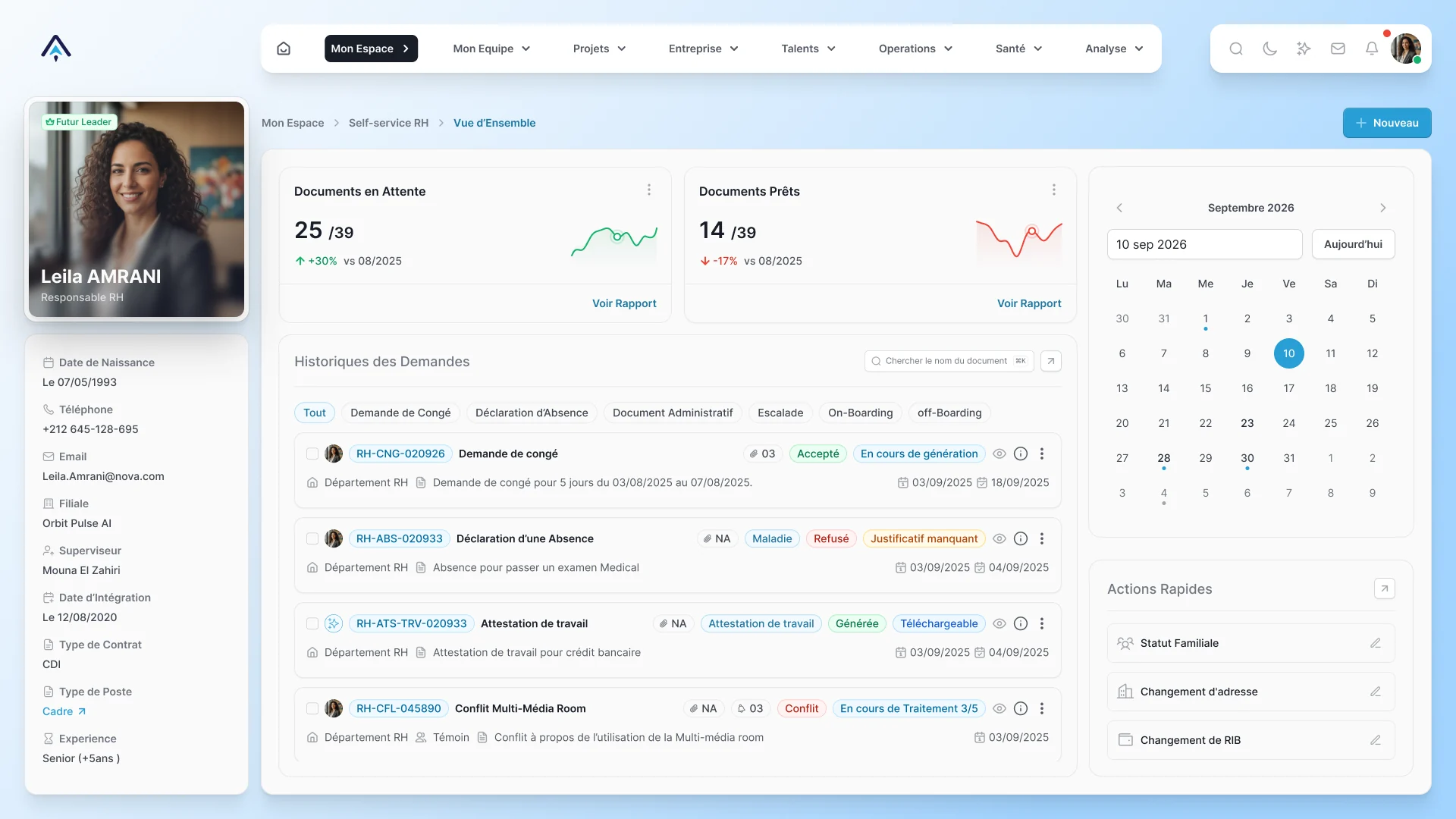
Employees land on everything that concerns them: leave, absences, skills, actions, projects and documents. A leave request takes three clicks and the manager approves it from a notification. Managers, HR, the HR director and executive management each get their own space, built on the same layout.

EmployeeMy Space

Requests, documents, calendar and career, in one place.

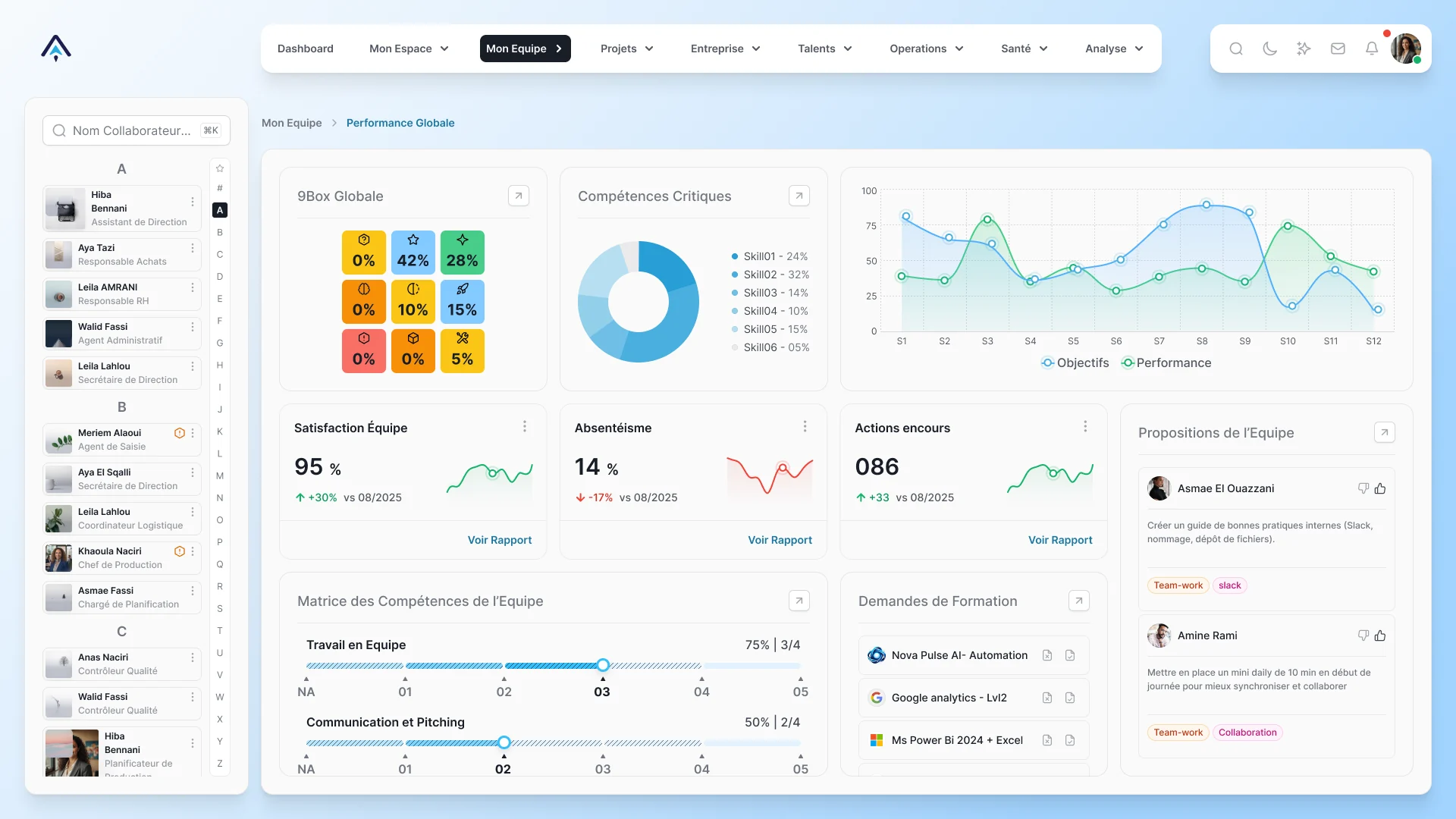
ManagerMy Team

Team performance, planning, reviews and approvals.
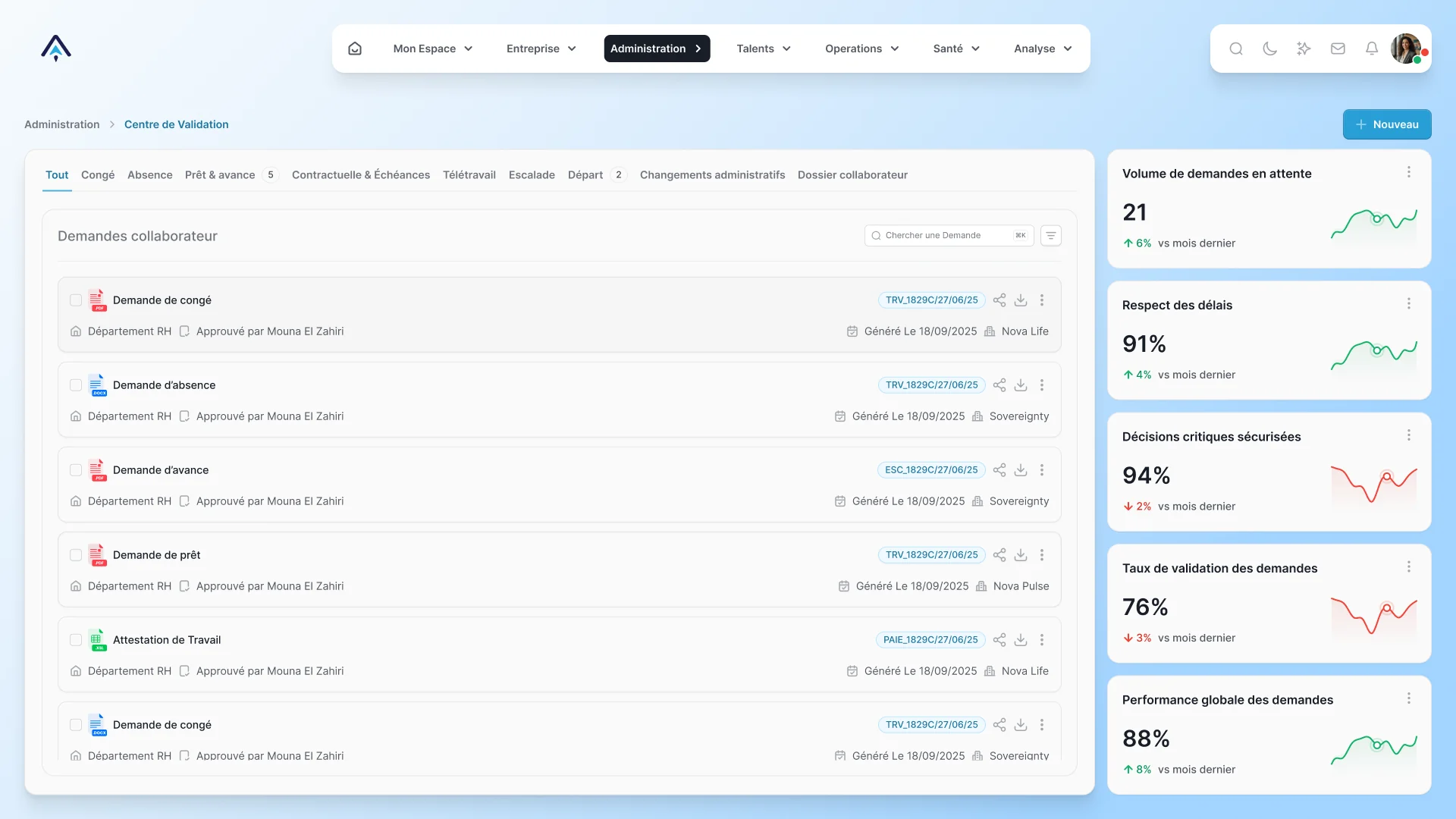
HRHR Admin

Every request of the group in one queue, with deadlines.
03

Requests out of the inbox.

Self-service HR replaces the email chains. Every request has a reference, a status and a next step. Certificates are generated from the HR record and ready to download, so HR stops re-typing them.
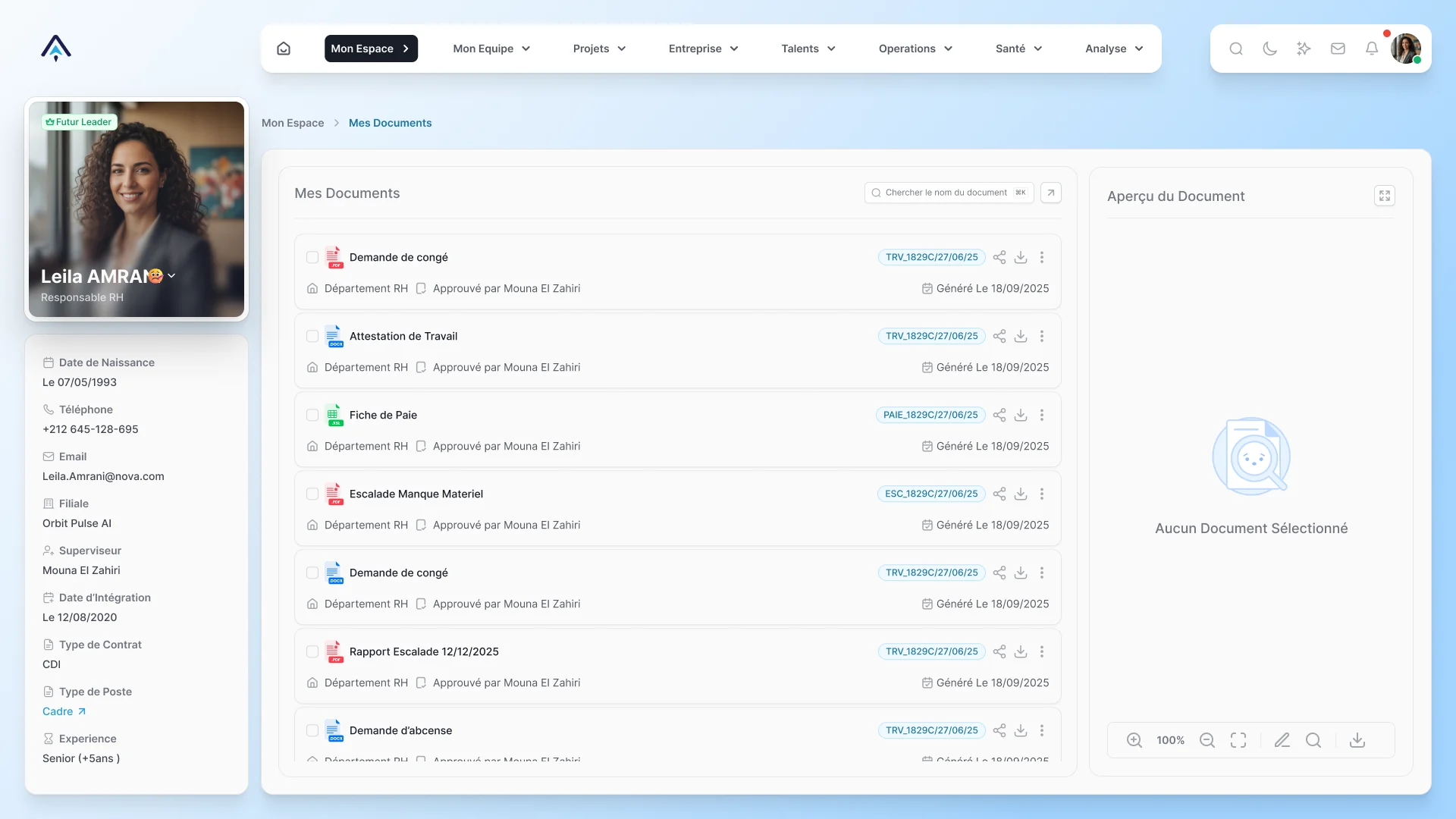
My documentsEvery certificate and payslip, with a preview and a reference.
HR admin queuePending volume, deadlines met and critical decisions, tracked for HR.
04

Hiring, with an AI that shows its work.

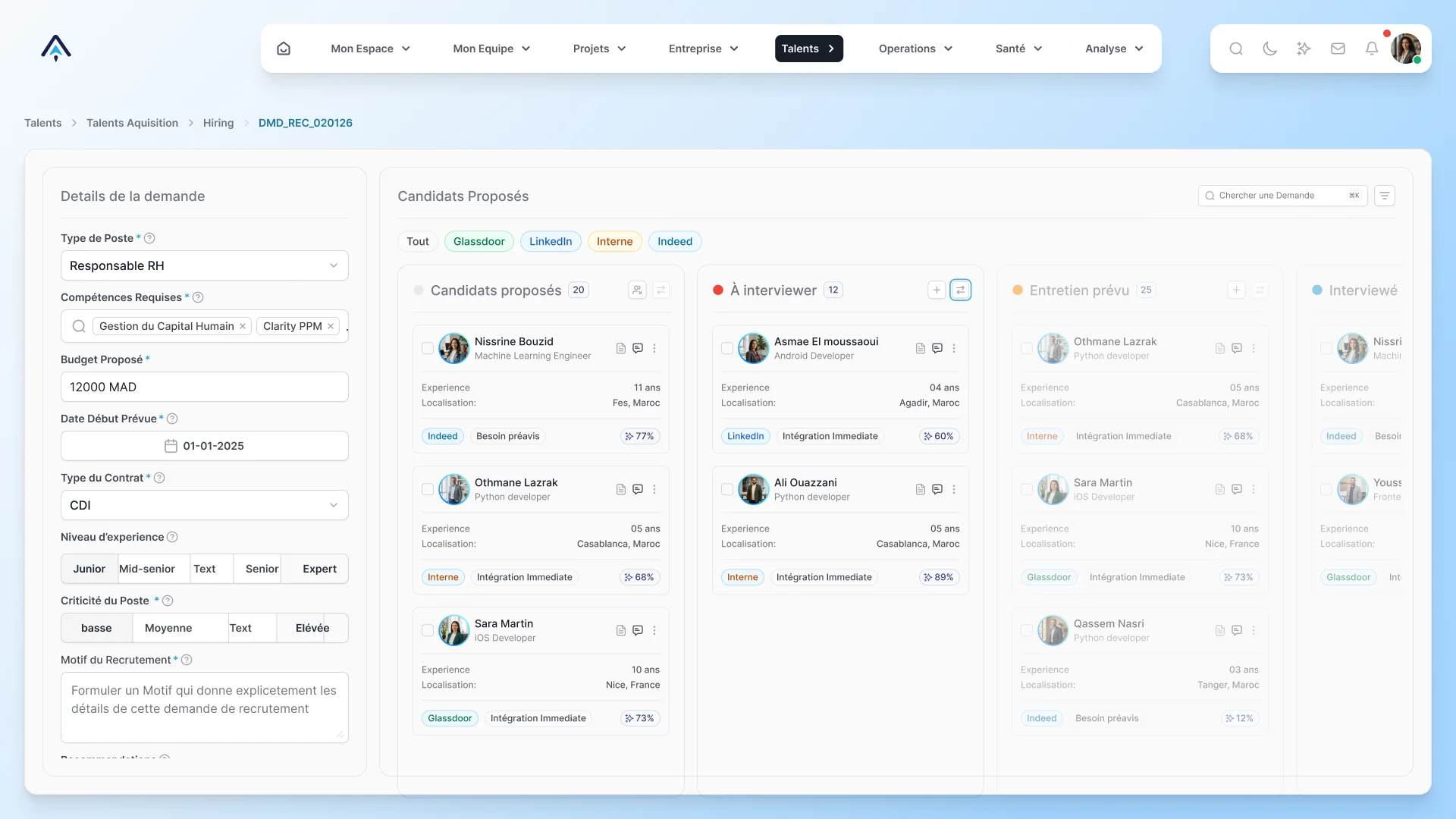
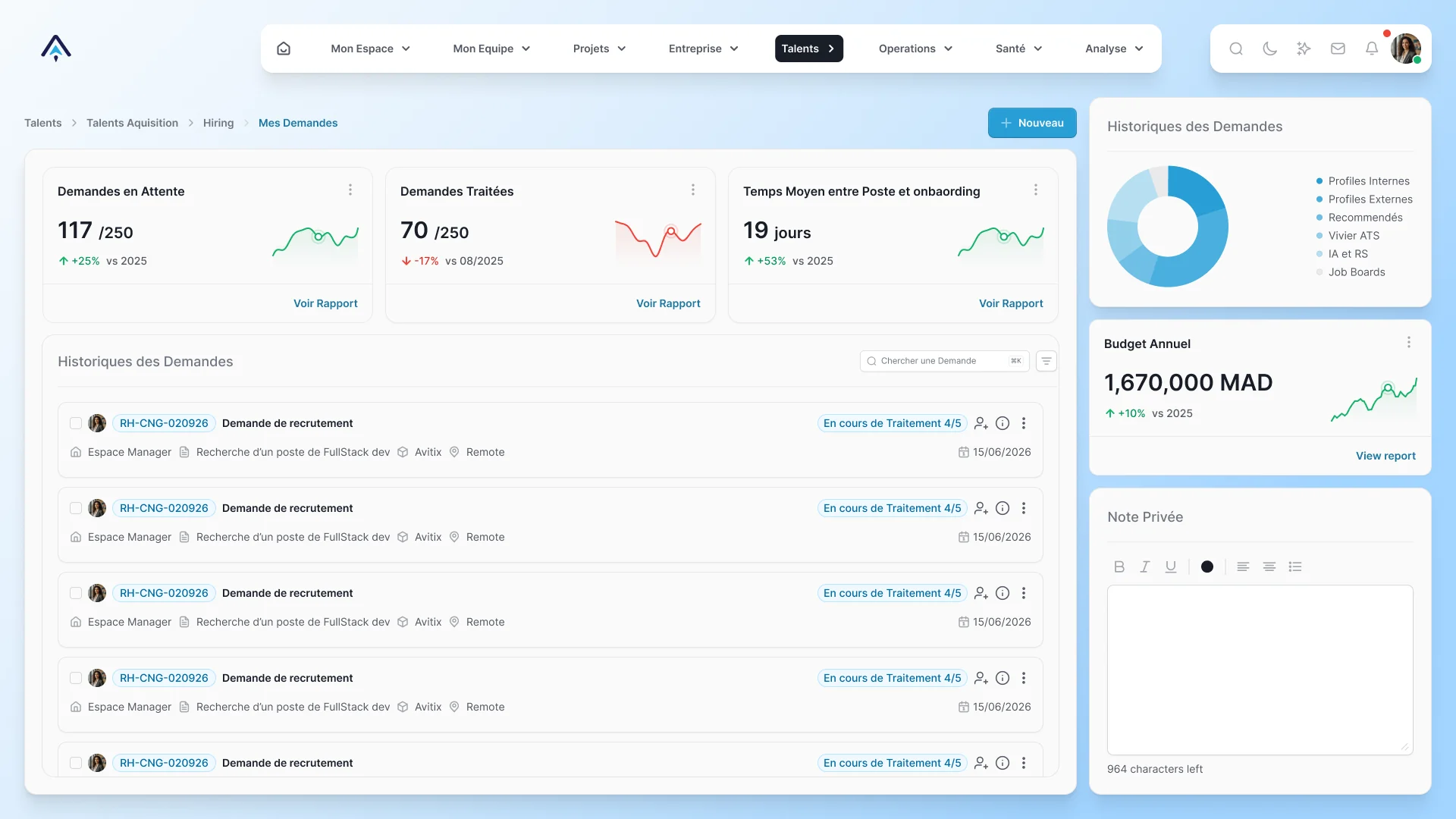
The CV screening pilot became part of the hiring pipeline. Candidates from every source land in one board, each with a match score the recruiter can open and read. The AI suggests; the recruiter decides.
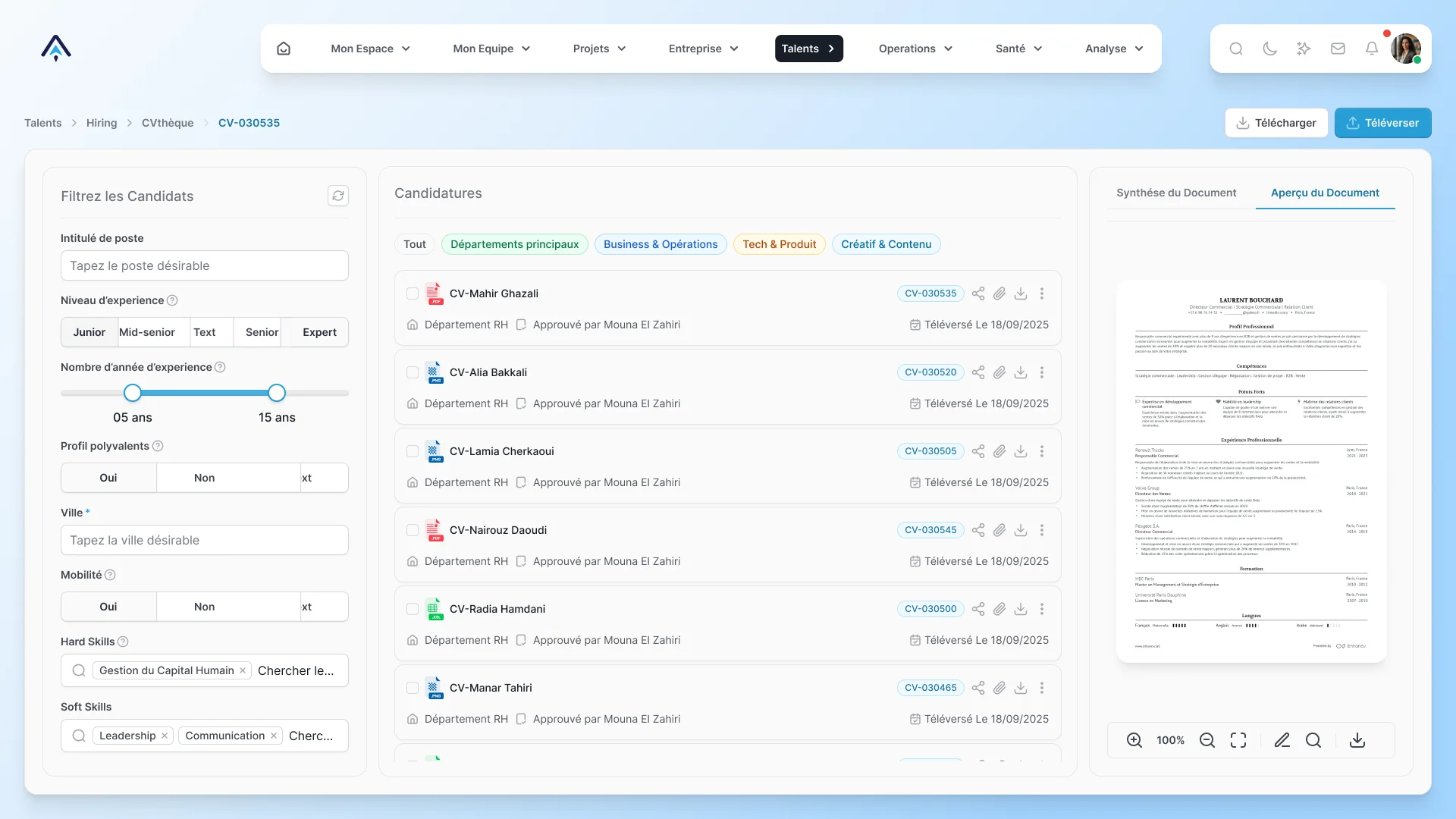
CV libraryEvery CV received, searchable by skill, level, experience and mobility.
Hiring requestsManagers request, HR validates, management approves, with the budget in view.
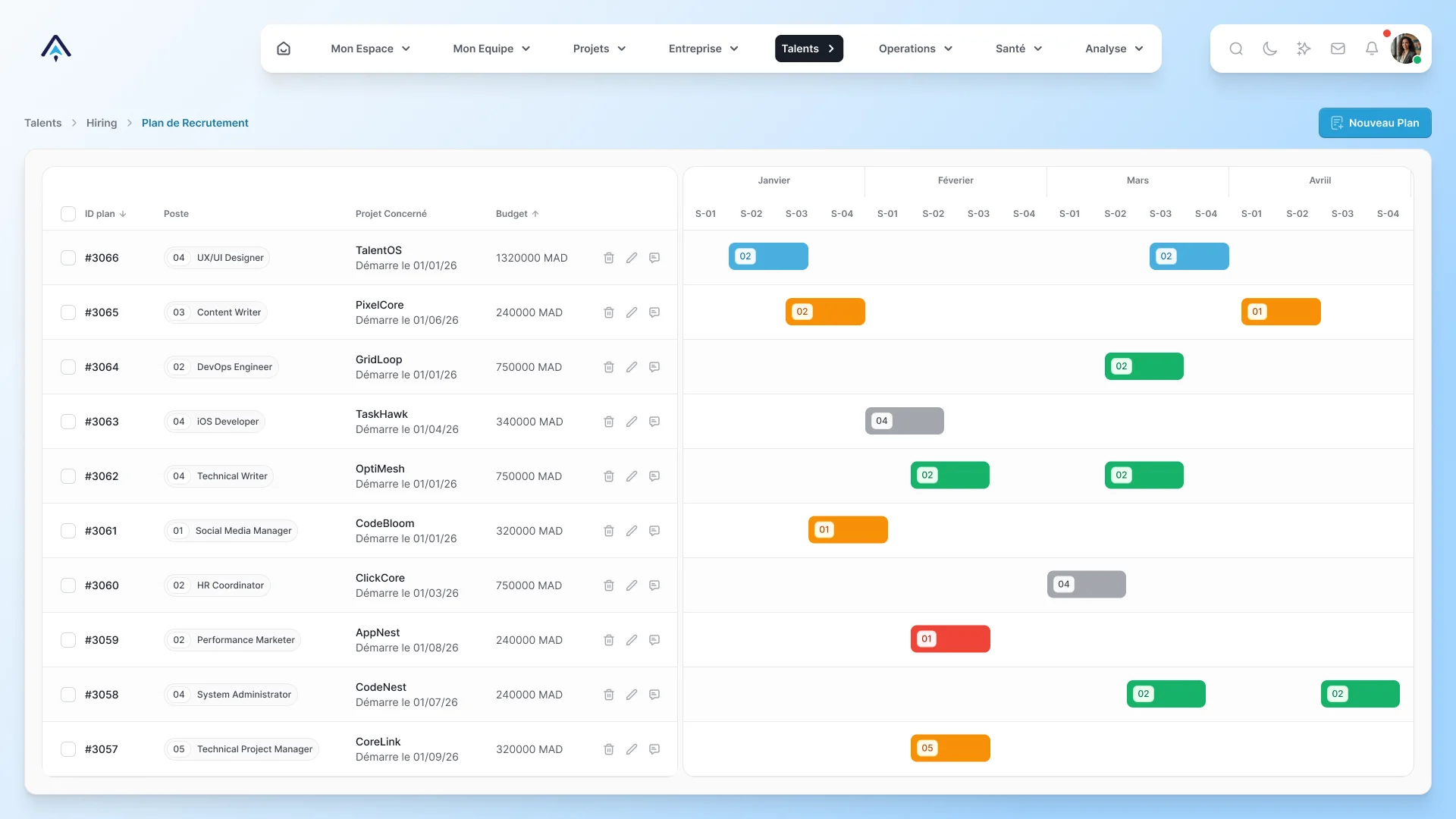
Recruitment planThe year’s hiring plan as a timeline, role by role.
05

Onboarding that runs itself.

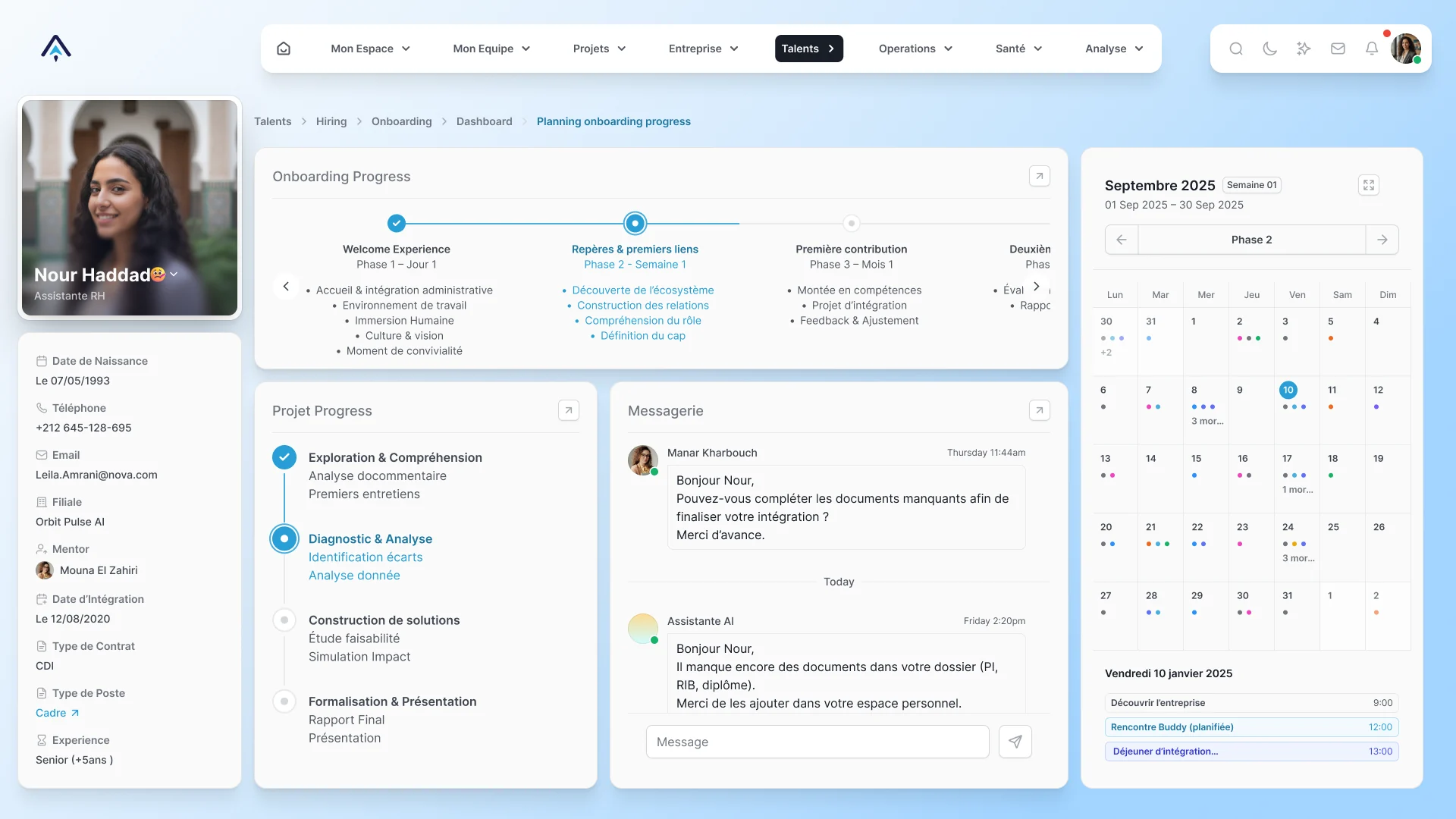
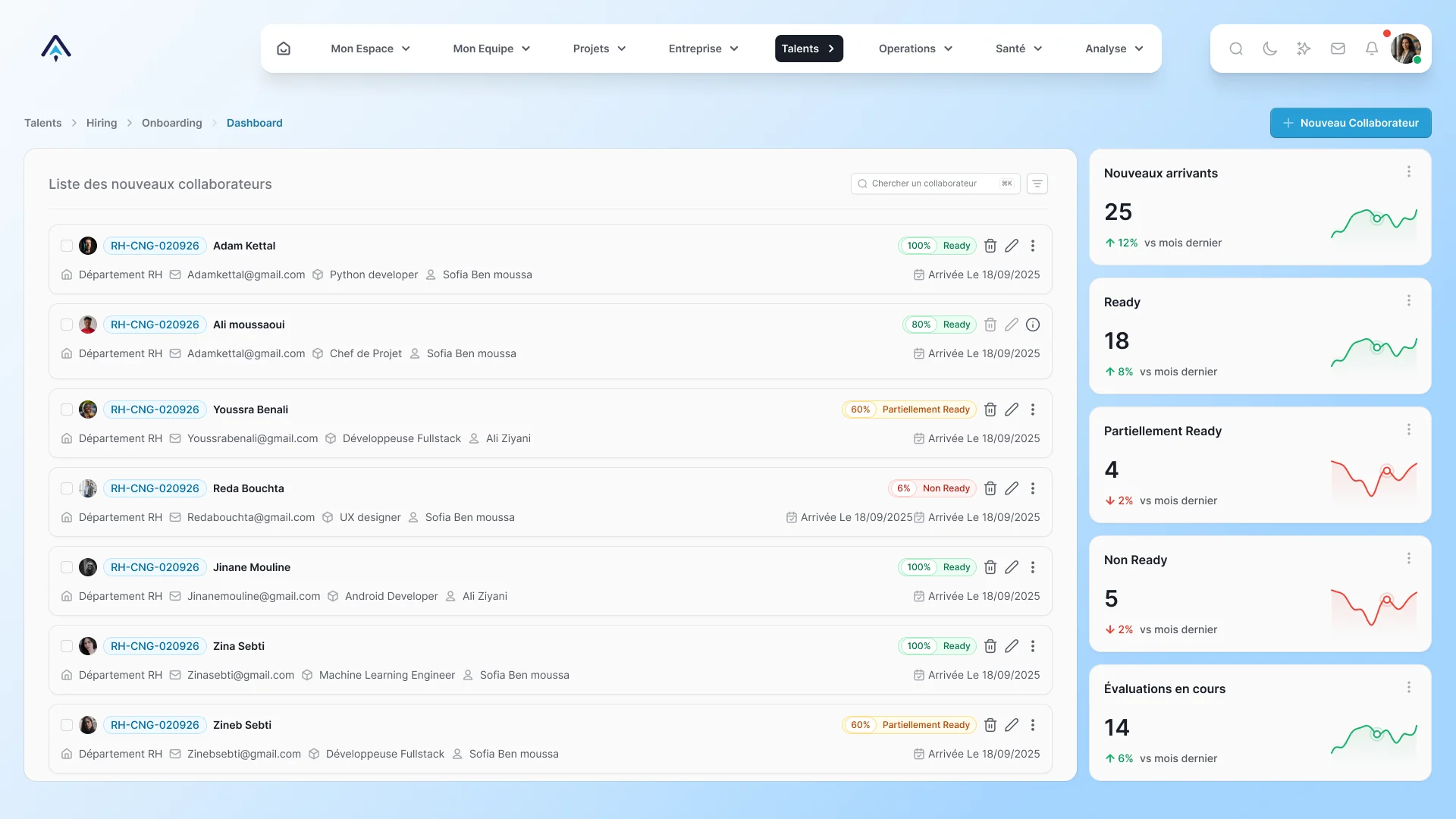
Each new hire follows a four-phase journey with a mentor, a first project and a planned agenda. An AI assistant answers their questions and chases missing documents. HR sees who is ready before day one.
06

Talent reviews on data, not spreadsheets.

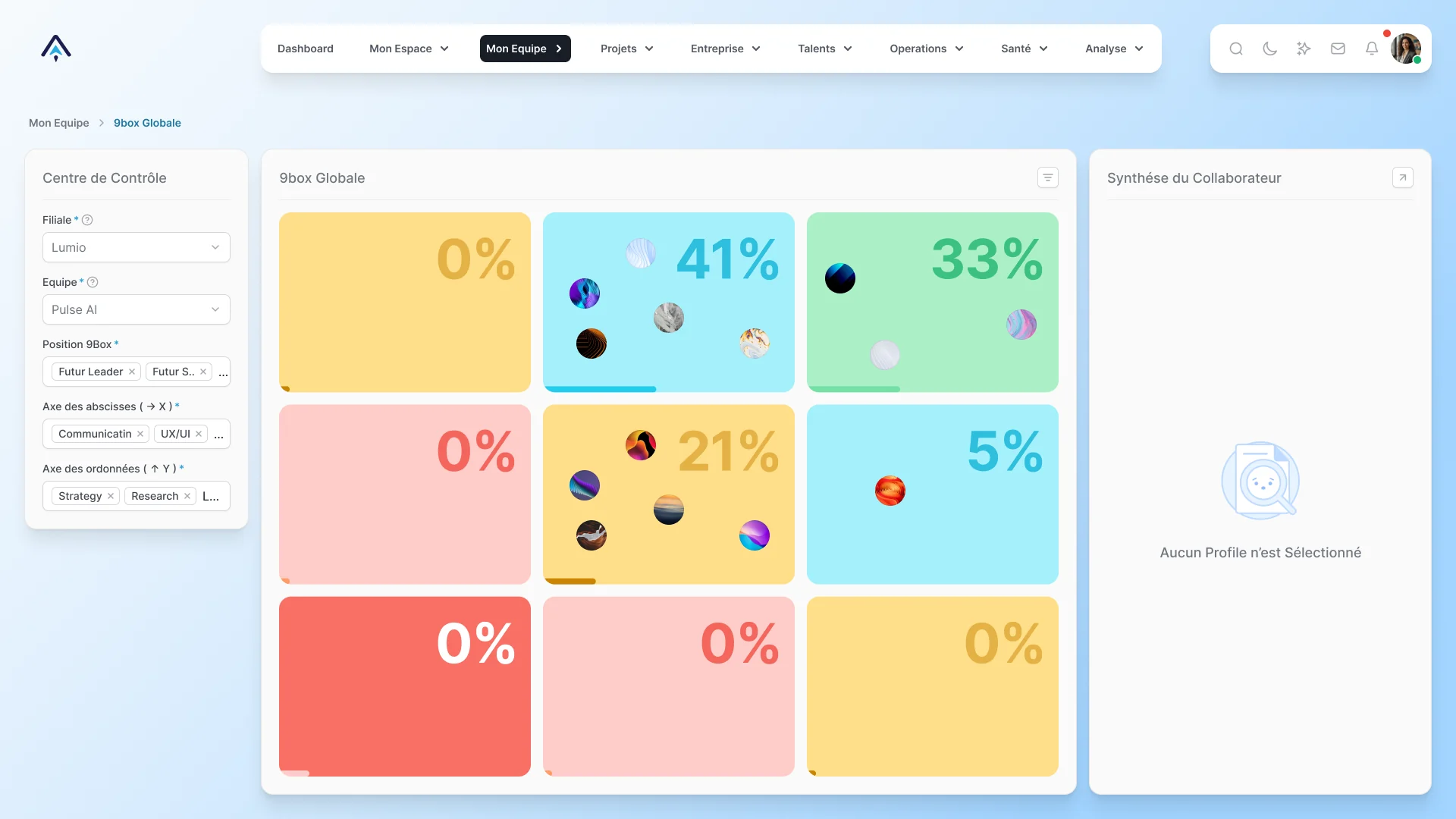
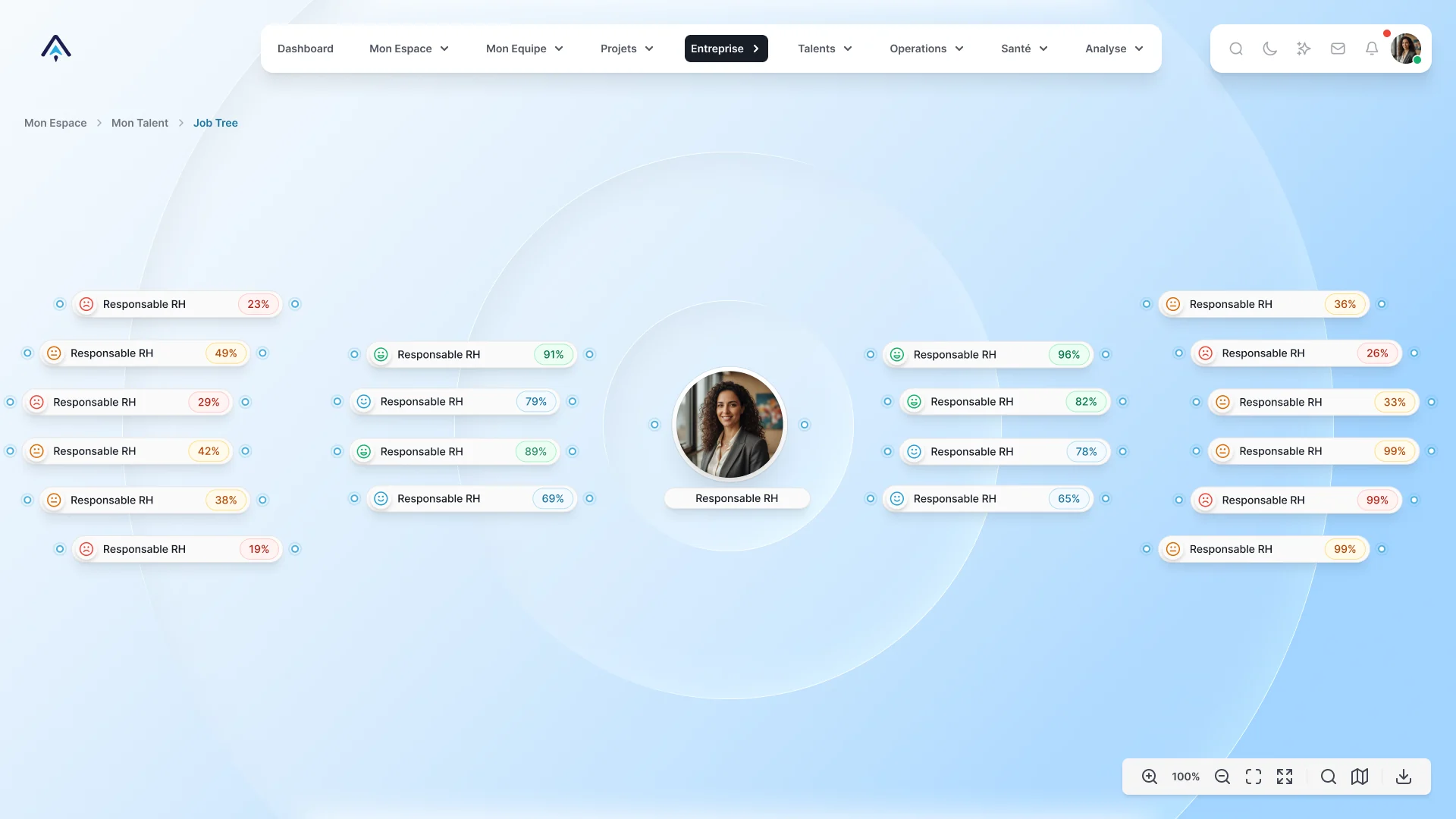
Managers run talent reviews on a live 9-Box and tag their people during the review. Employees see career paths computed from their validated skills, and HR sees succession across the group.
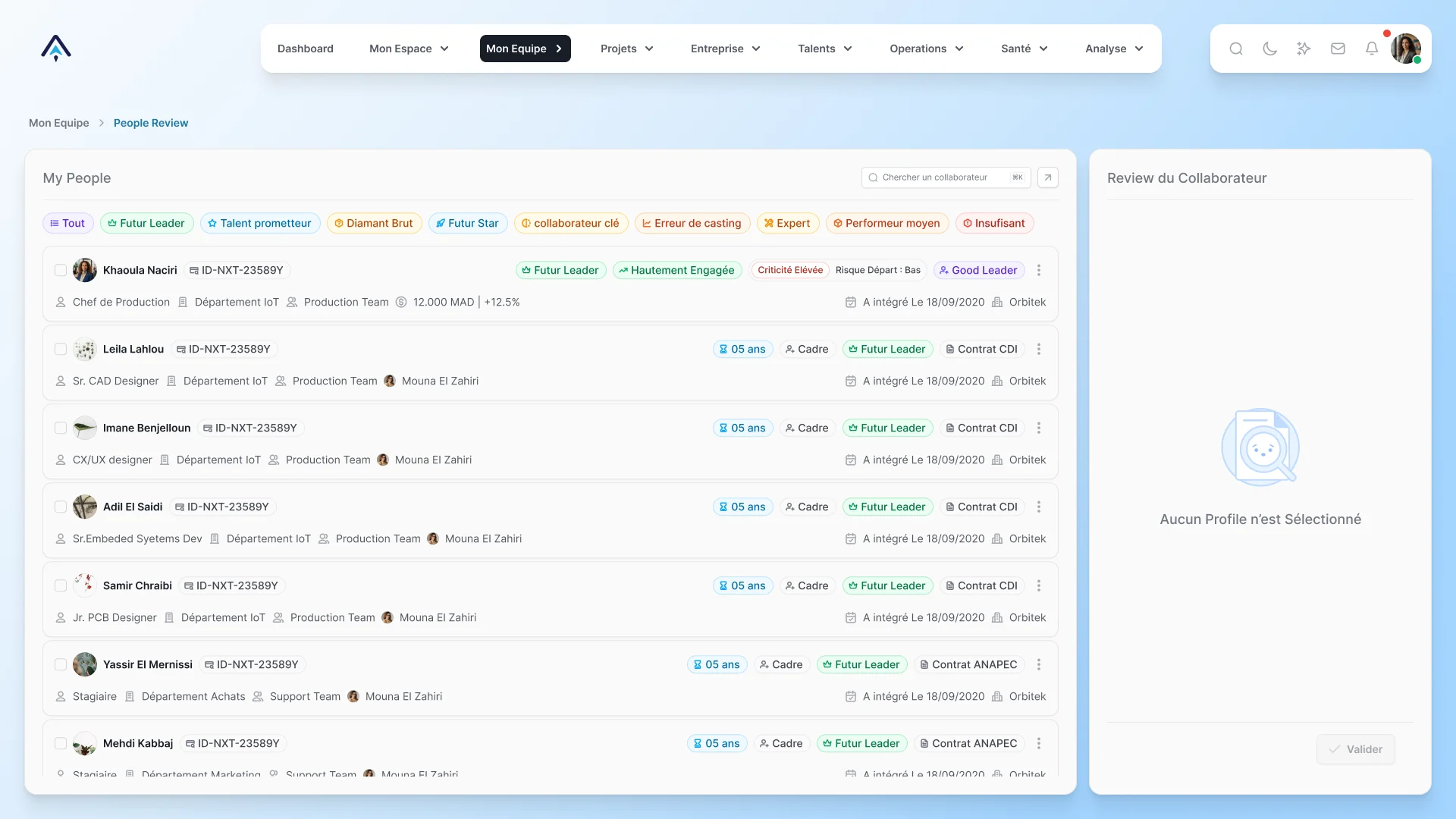
People reviewTalent tags, flight risk and engagement, per person.
Job TreeCareer paths from the current role, with a match score for each target role.
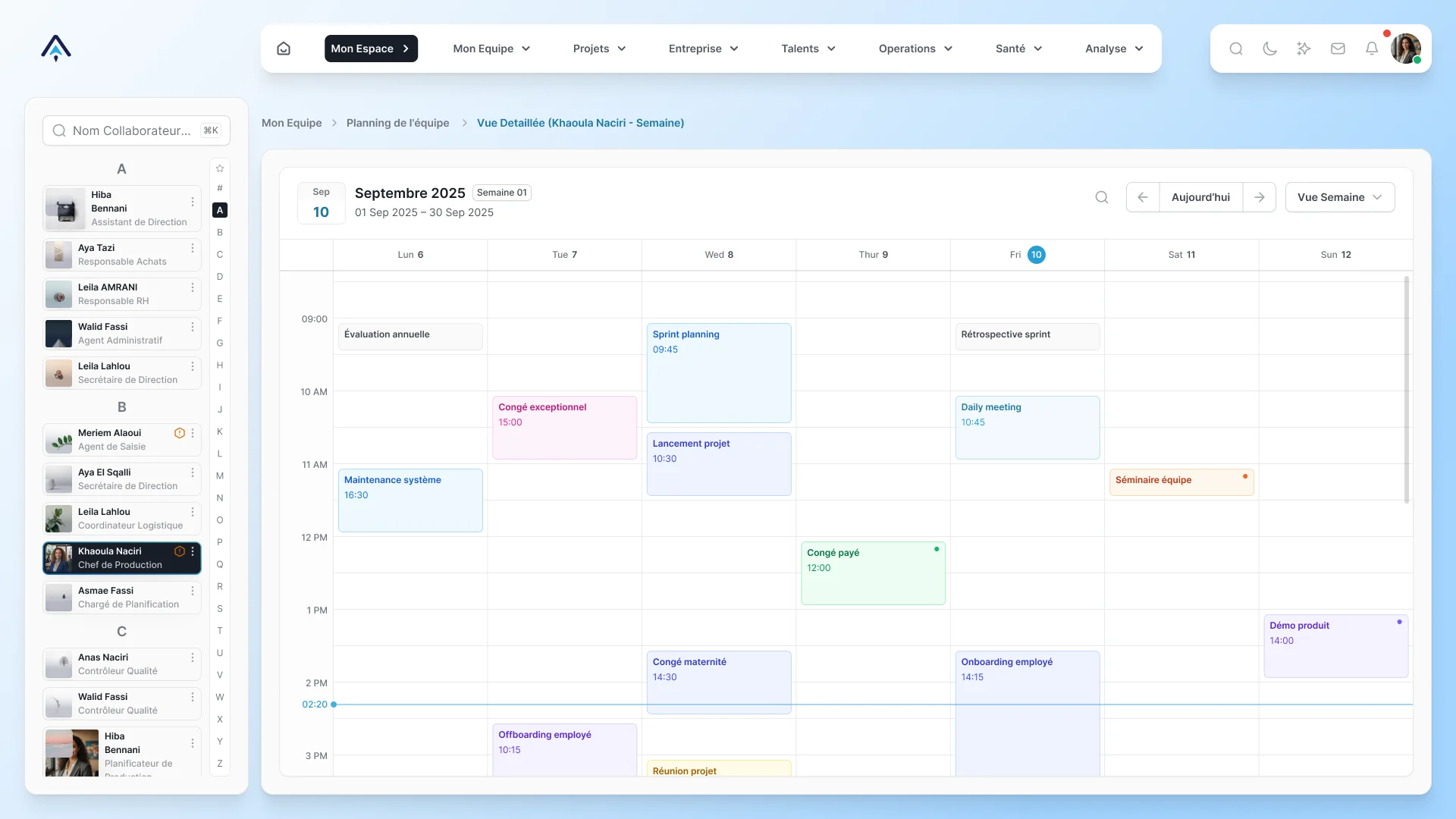
Team planningLeave, meetings and onboarding of the whole team, week by week.
07

The whole group, on one screen.

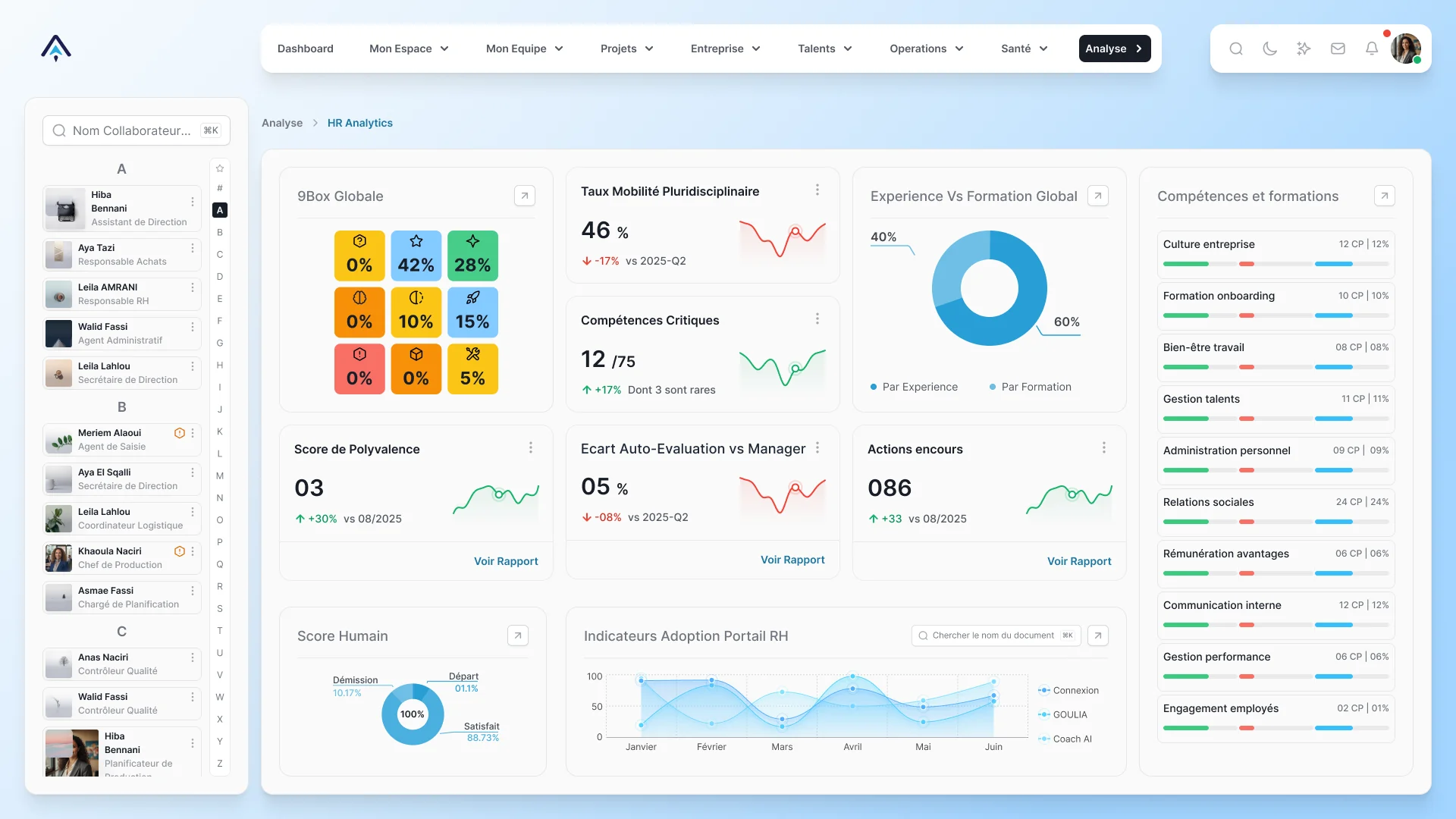
HR analytics brings talent, skills, mobility and adoption together for the HR director, by subsidiary and by month. It also tracks how much the AI copilot is used, so the group sees whether the AI earns its place.
Outcome

Six months after rollout.

Measured across all subsidiaries, against the baseline from the first six weeks. Each result links back to the screen that produces it.

0%

HR request handling time, from 5.2 days to 1.6

↳ Self-service HR · chapter 03
0%

of employees use the platform every month (was 23%)

↳ My Space · chapter 02
0days

average time to hire (was 45)

↳ Hiring pipeline · chapter 04
0%

of new-hire files complete on day one

↳ Onboarding · chapter 05
0/ year

talent reviews per team (was 1)

↳ 9-Box & People review · chapter 06
Smart evaluation management · Web app

Smart EVA

Smart evaluation management for multi-site companies. EVA runs every annual review from preparation to signature, ties objectives, skills and development plans to it, and an AI assistant guides employees, managers and HR on every screen. An interim staffing module shares the same login, design and data.

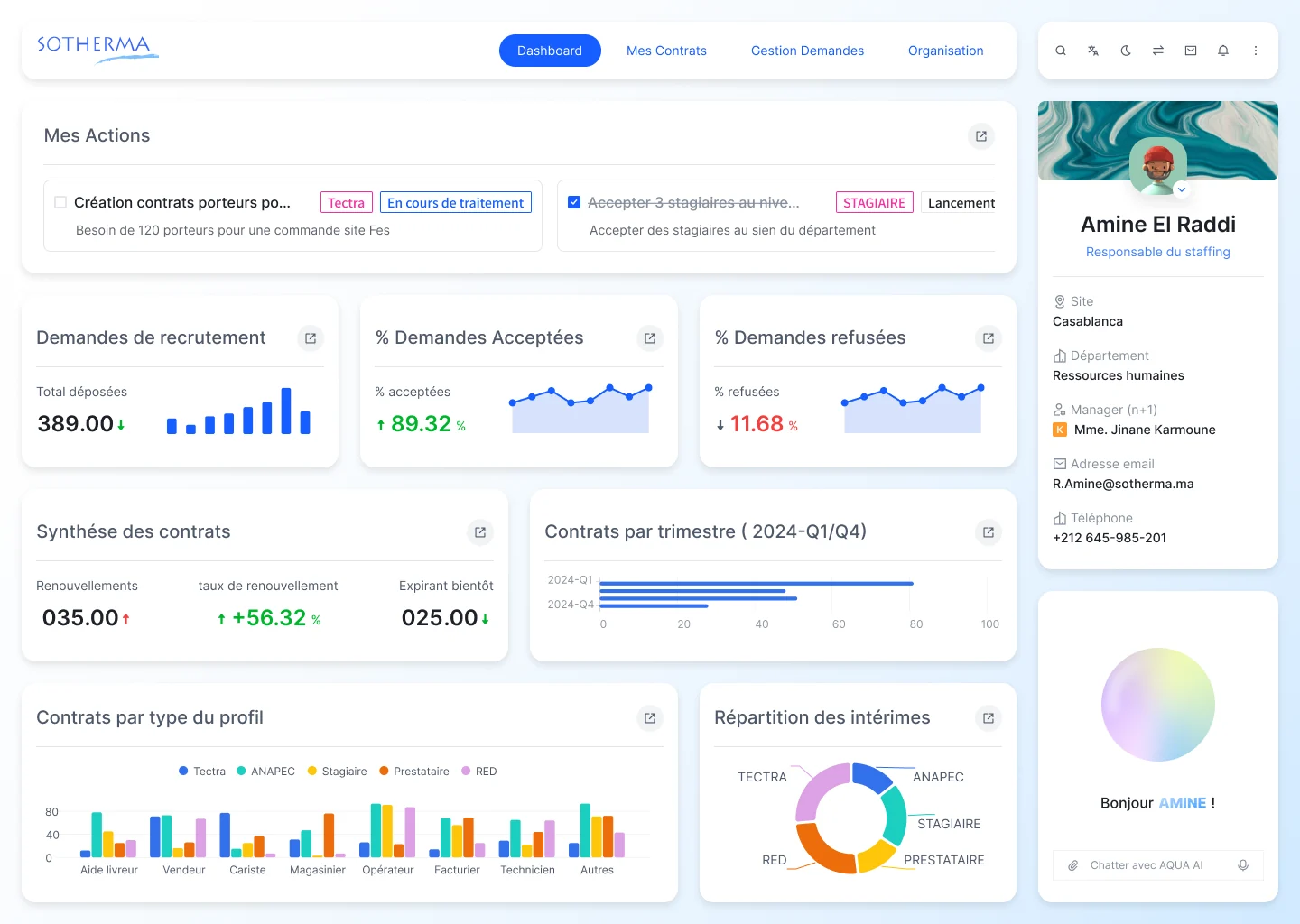
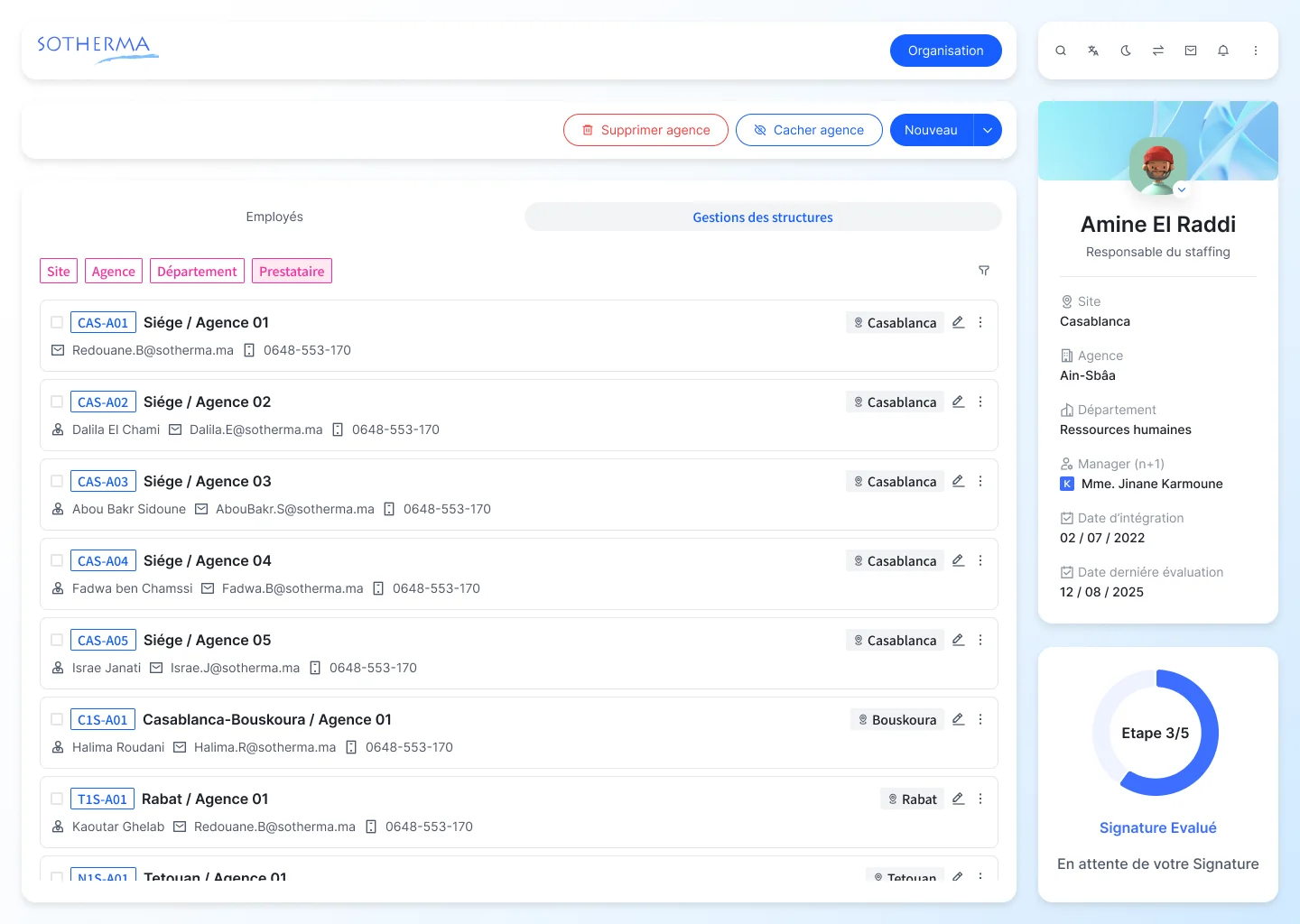
Smart EVA staffing dashboard

About

EVA turns the annual evaluation into a shared, guided path. Every employee follows the same five steps, every review feeds objectives, skills and a development plan, and managers see their whole team on one screen.

It is built for companies with plants, a head office and agencies, where reviews and staffing cross sites, managers and HR. The same platform also runs interim recruitment, from the manager’s request to the signed contract.

Sotherma
Reference

Sotherma, the Société du Thermalisme Marocain founded in 1968, bottles natural mineral waters and distributes them across Morocco. It runs EVA for the annual evaluation and interim staffing across its head office, plants and agencies. The screens on this page come from that deployment.

Solutions0evaluation and interim
Review steps0preparation to closing
Interim channels0in one request queue
What we did
Process designProduct & UI designDesign systemDashboards & data vizRole-based journeysAI assistant
Built for
Multi-site companies: industry, distribution, services
References
Sotherma
AI in the product
An AI assistant on every screen (AQUA AI at Sotherma)
Language
French interface
Roles
EmployeeManagerHRStaffing managerHR administration
Solution

Two solutions, one platform: EVA Evaluation and EVA Interim.

Chapters 01 to 03 cover the annual evaluation, chapters 04 to 06 cover interim recruitment. Each one shows the real screen that solves the problem. Hover the numbered points to see what each part does.

EVA EvaluationEvaluate

Five steps from preparation to closing, signed by both sides.

EVA EvaluationDevelop

CV, skills, objectives and a development plan in one file.

EVA InterimRequest

Managers file numbered requests; HR validates them step by step.

EVA InterimContract & follow

Approved requests become contracts, followed live on the dashboard.

01

Every review follows the same five steps.

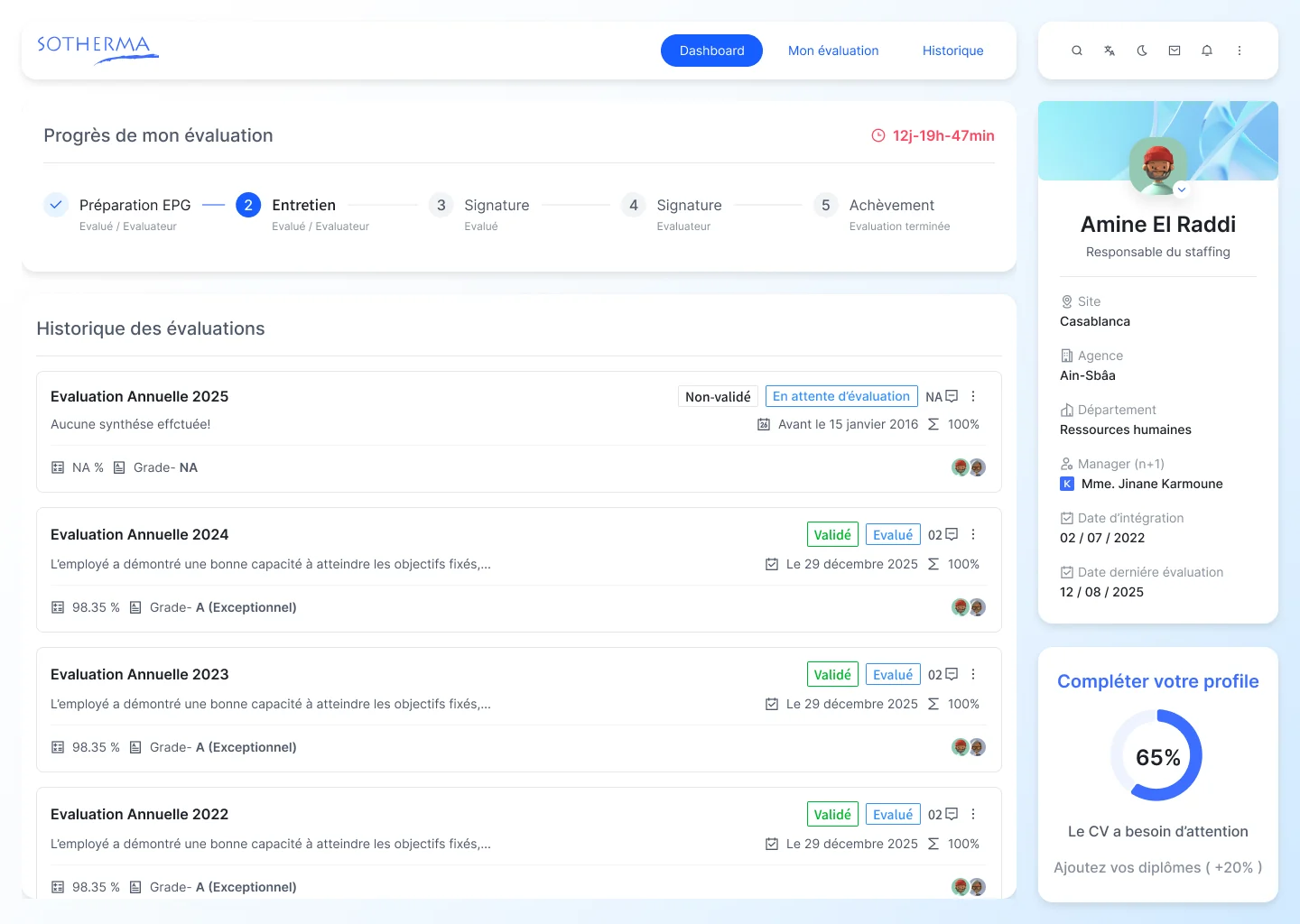
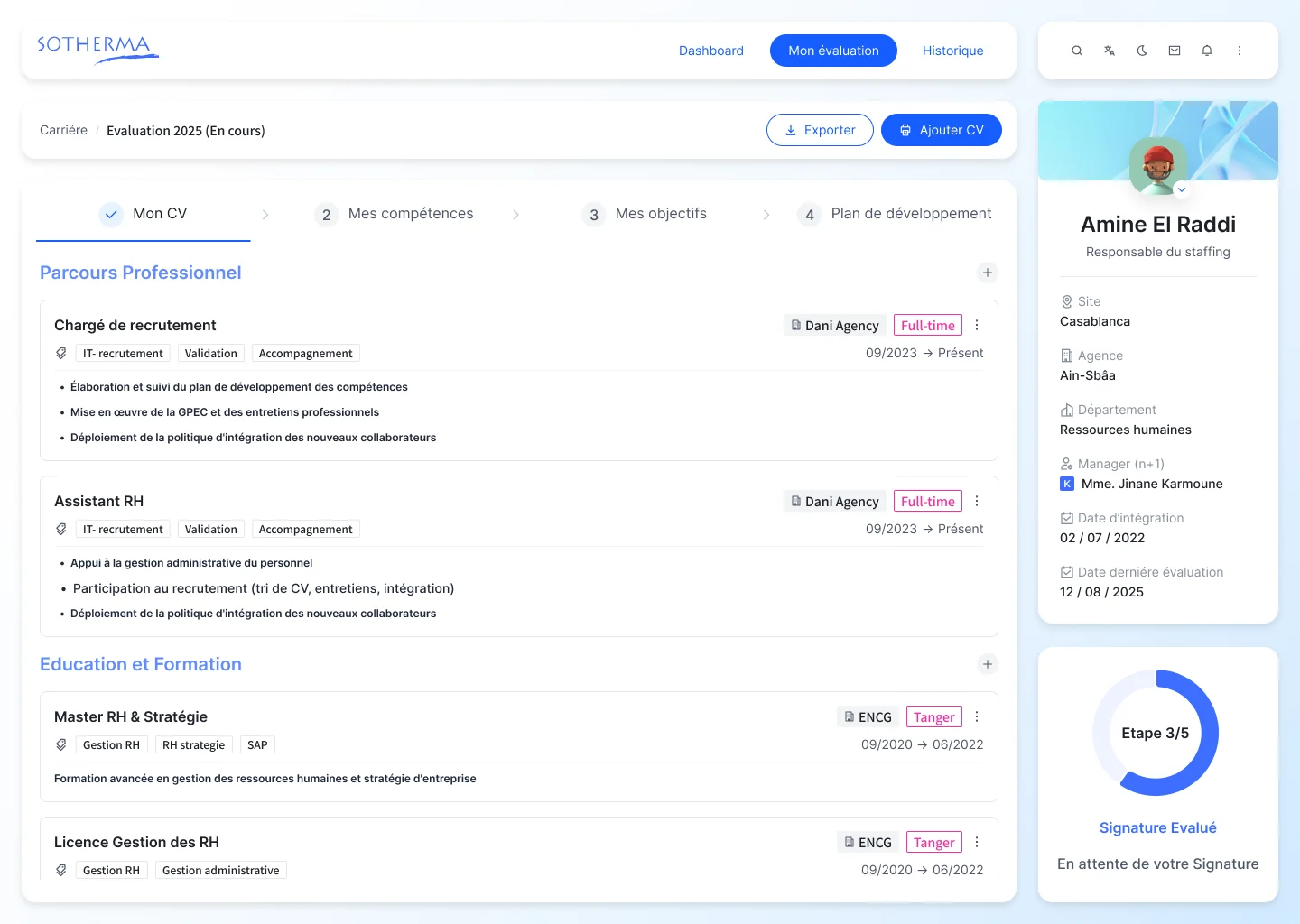
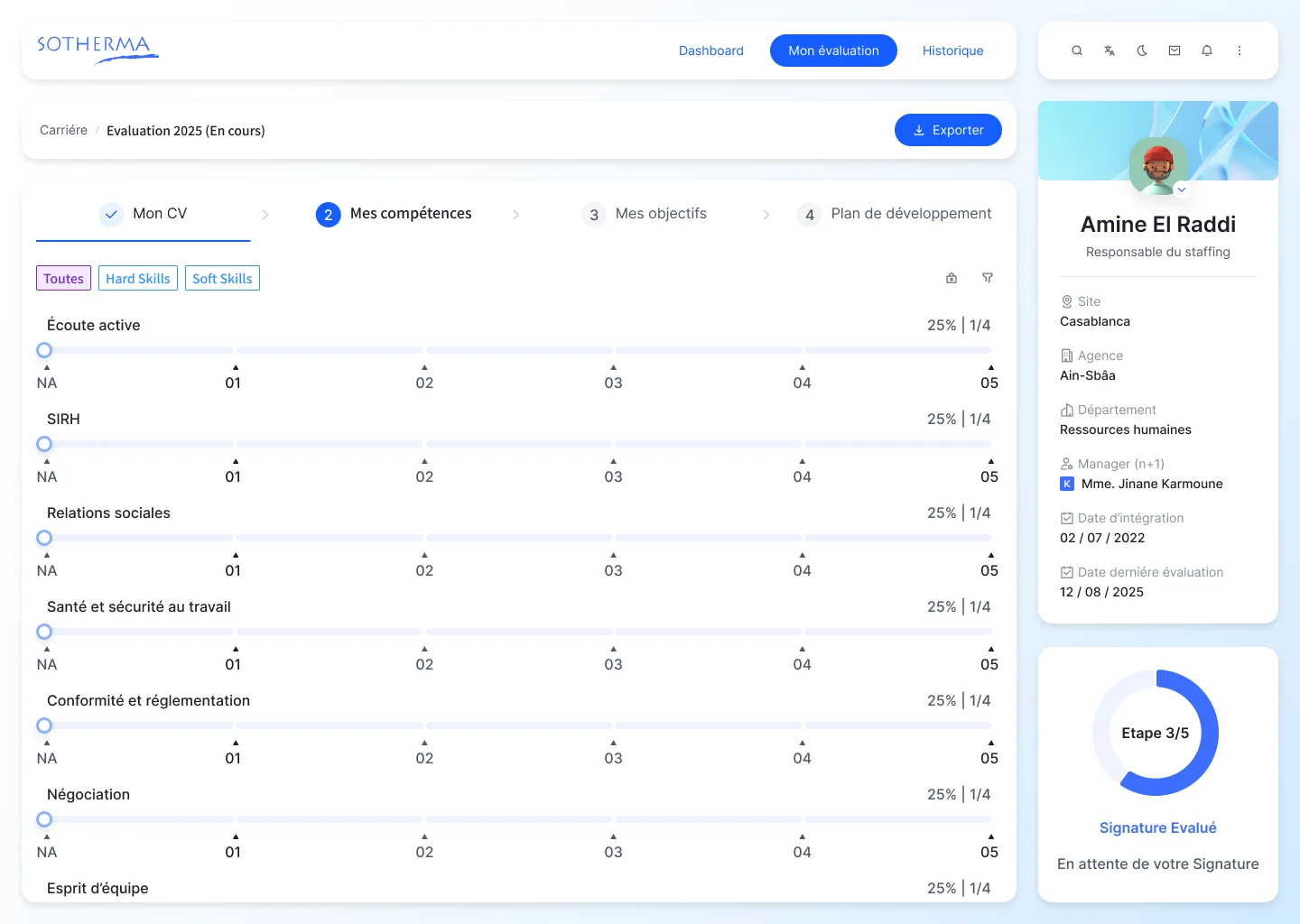
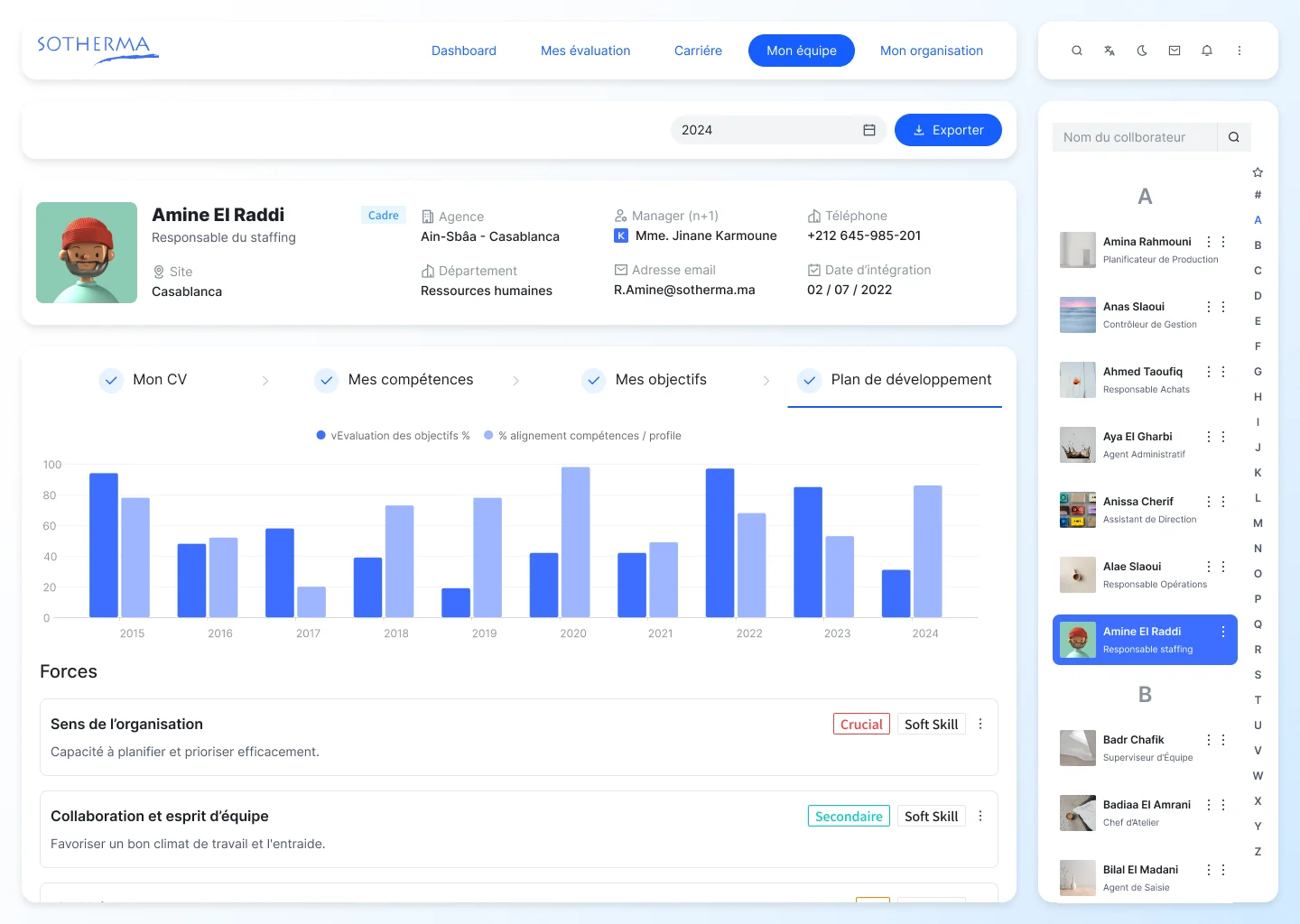
Each employee opens EVA on their own review. A progress bar shows the five steps, preparation, interview, the employee’s signature, the evaluator’s signature and closing, with a countdown to the deadline. Below it, every past evaluation sits in one history with its status, final score and grade. The profile card keeps the site, agency, department and N+1 in view, and a gauge shows how complete the CV is before the interview.

My CVCareer path and education, the first tab of every evaluation.
My skillsHard and soft skills rated from NA to 5 on a single scale.
02

Objectives, skills and growth in one file.

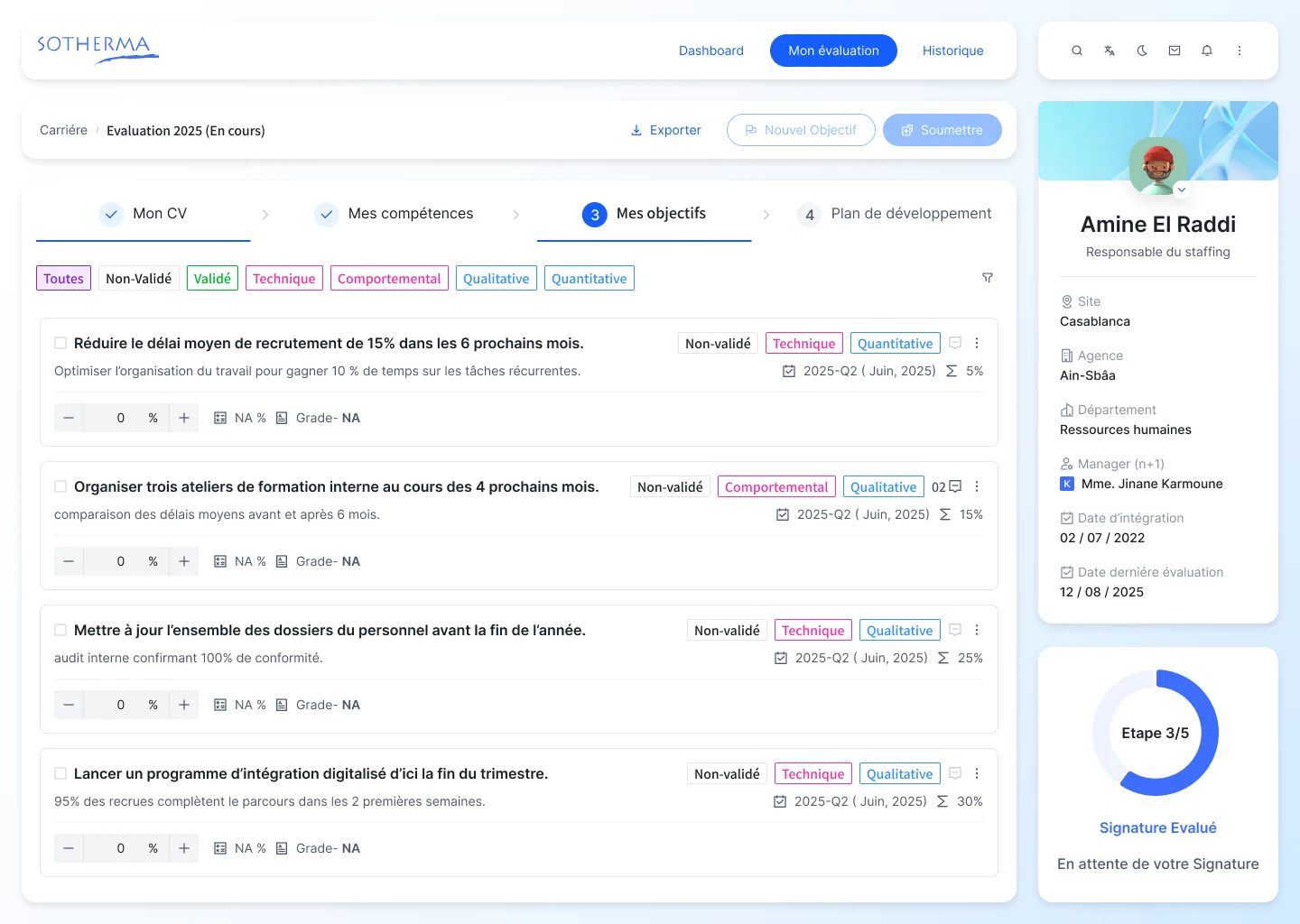
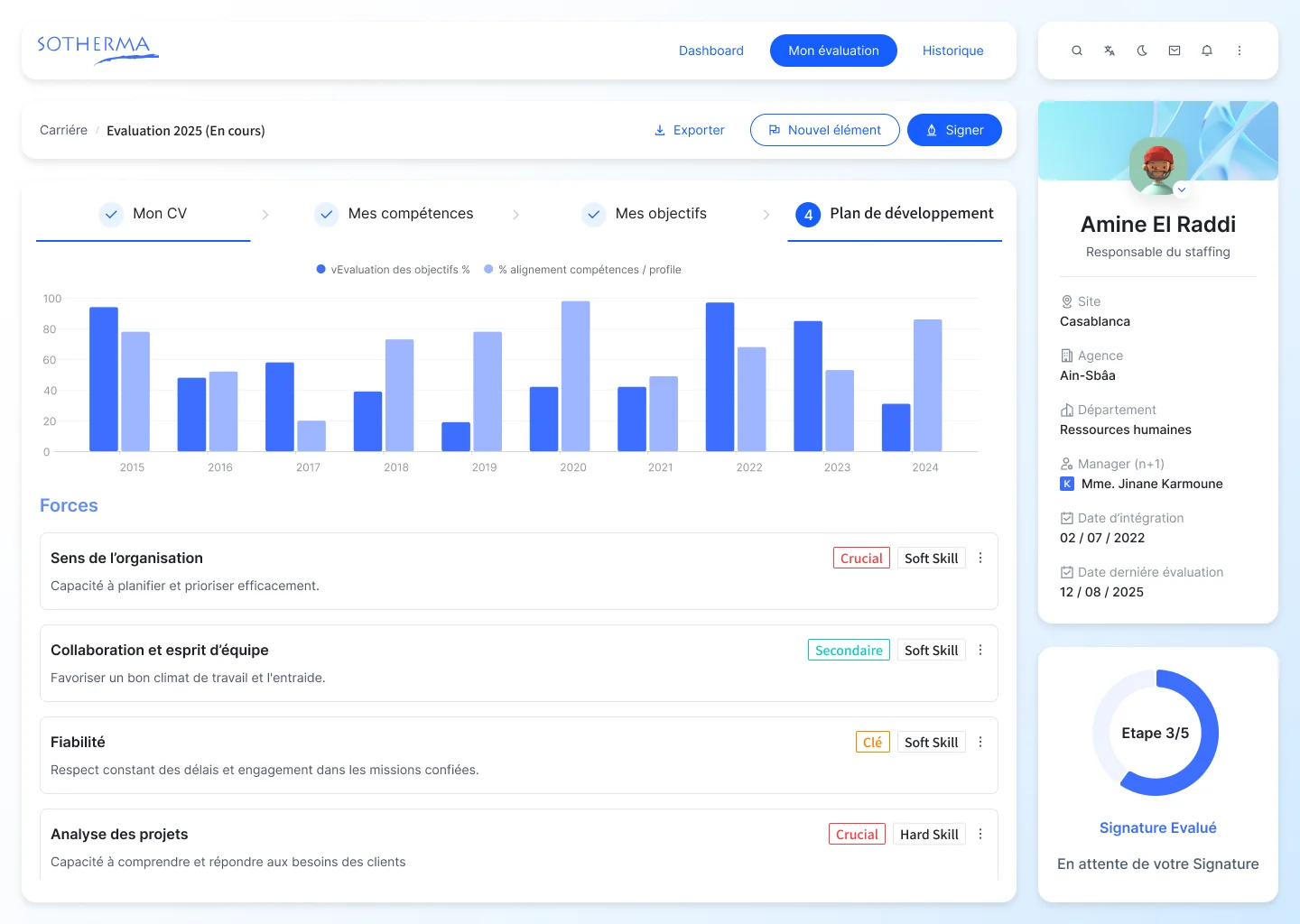
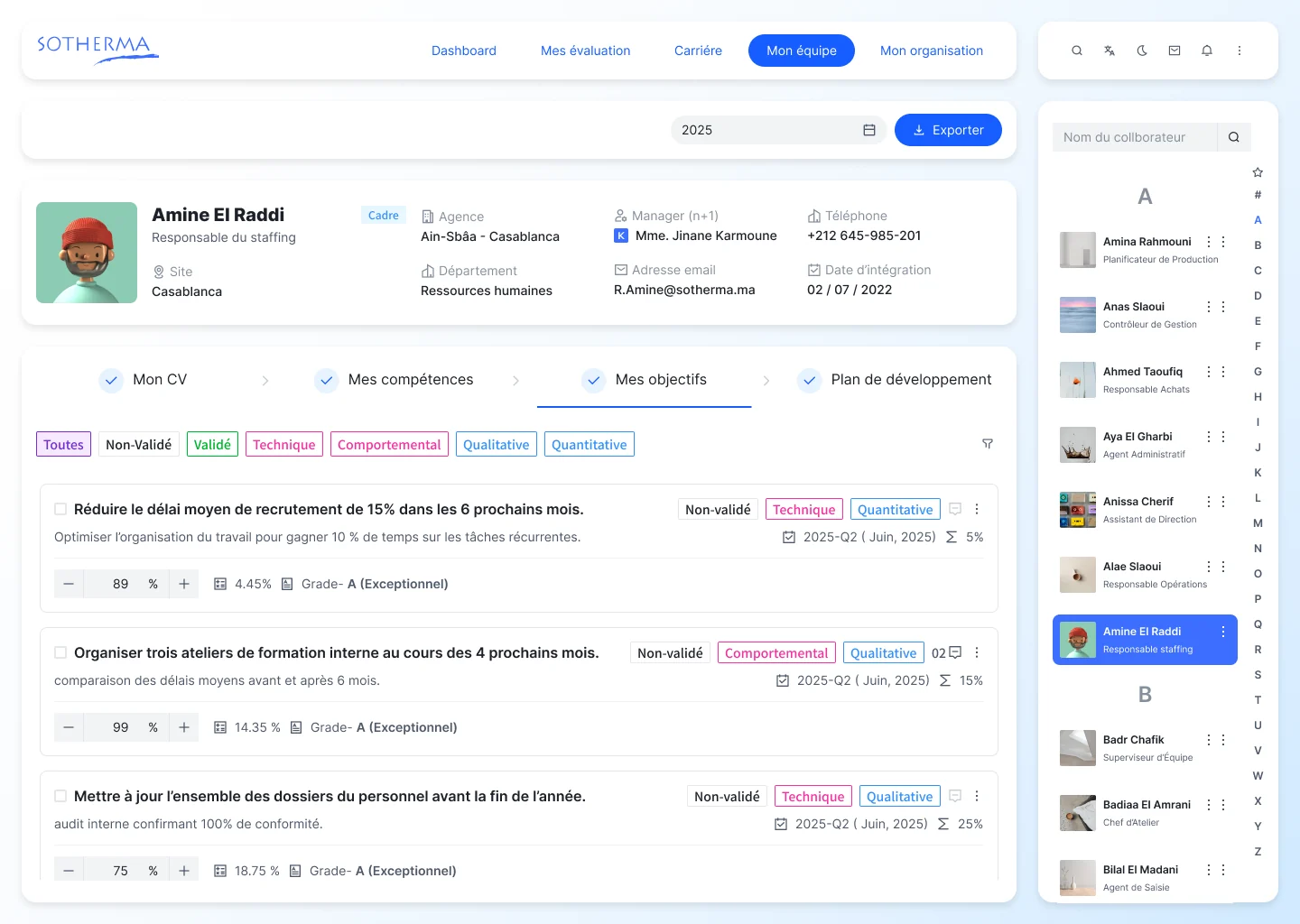
The evaluation is one file with four tabs: CV, skills, objectives and development plan. Each objective is measurable, typed as technical or behavioural, quantitative or qualitative, and carries its period and weight. Achievement is entered during the review and turns into a score and a grade. The development plan charts objectives reached against skills alignment, year after year, and lists the strengths to build on.

03

Managers review their whole team from one screen.

My team lists every direct report from A to Z. A click opens that person’s evaluation, with the same four tabs the employee sees, for any year. Managers rate objectives and skills, follow progress over ten years on the development chart, and export the team’s reviews in one go.

Team objectivesThe manager enters achievement for each objective and sees the score and grade update.
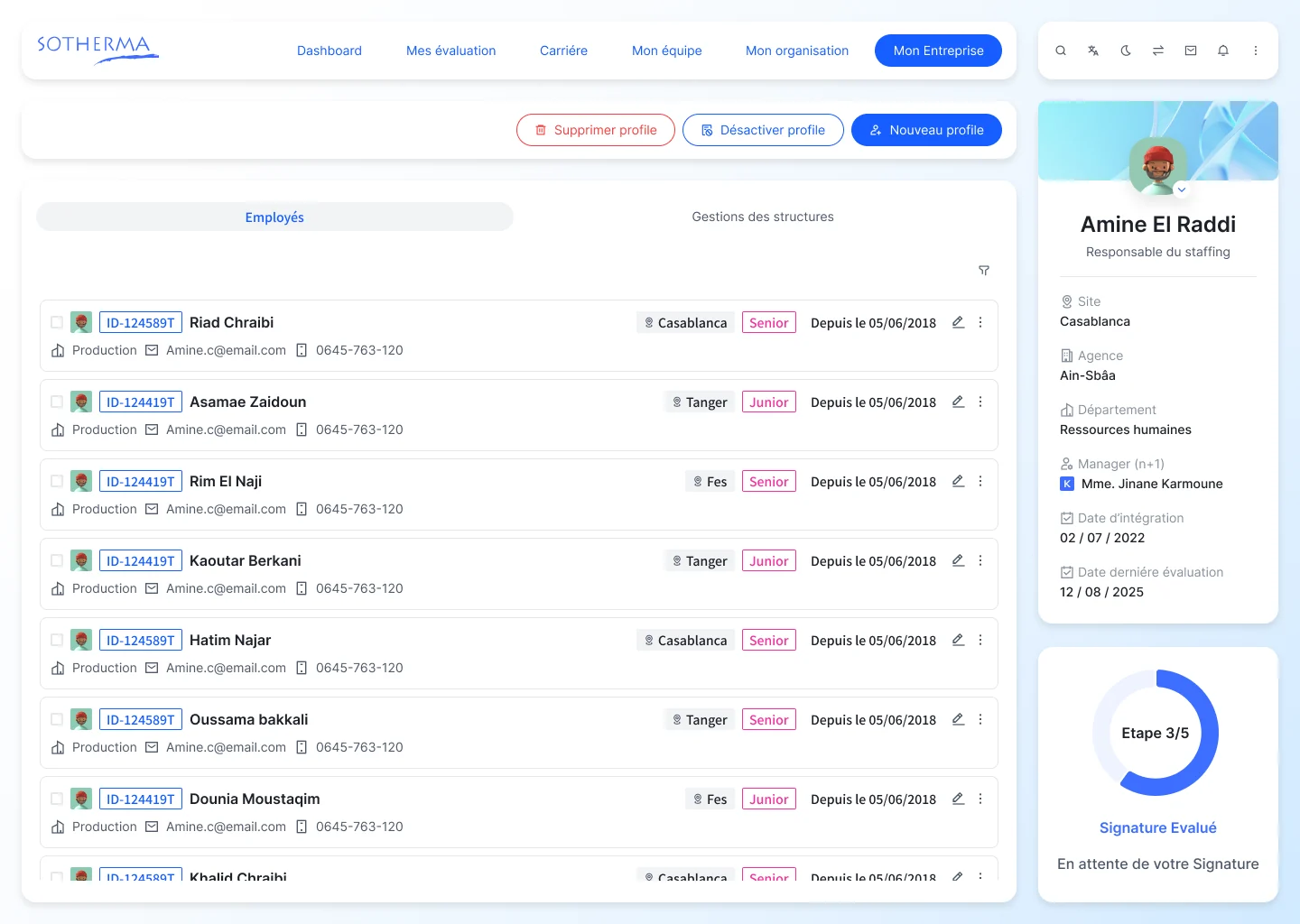
My companyHR sees every employee with their ID, site, seniority and start date.
04

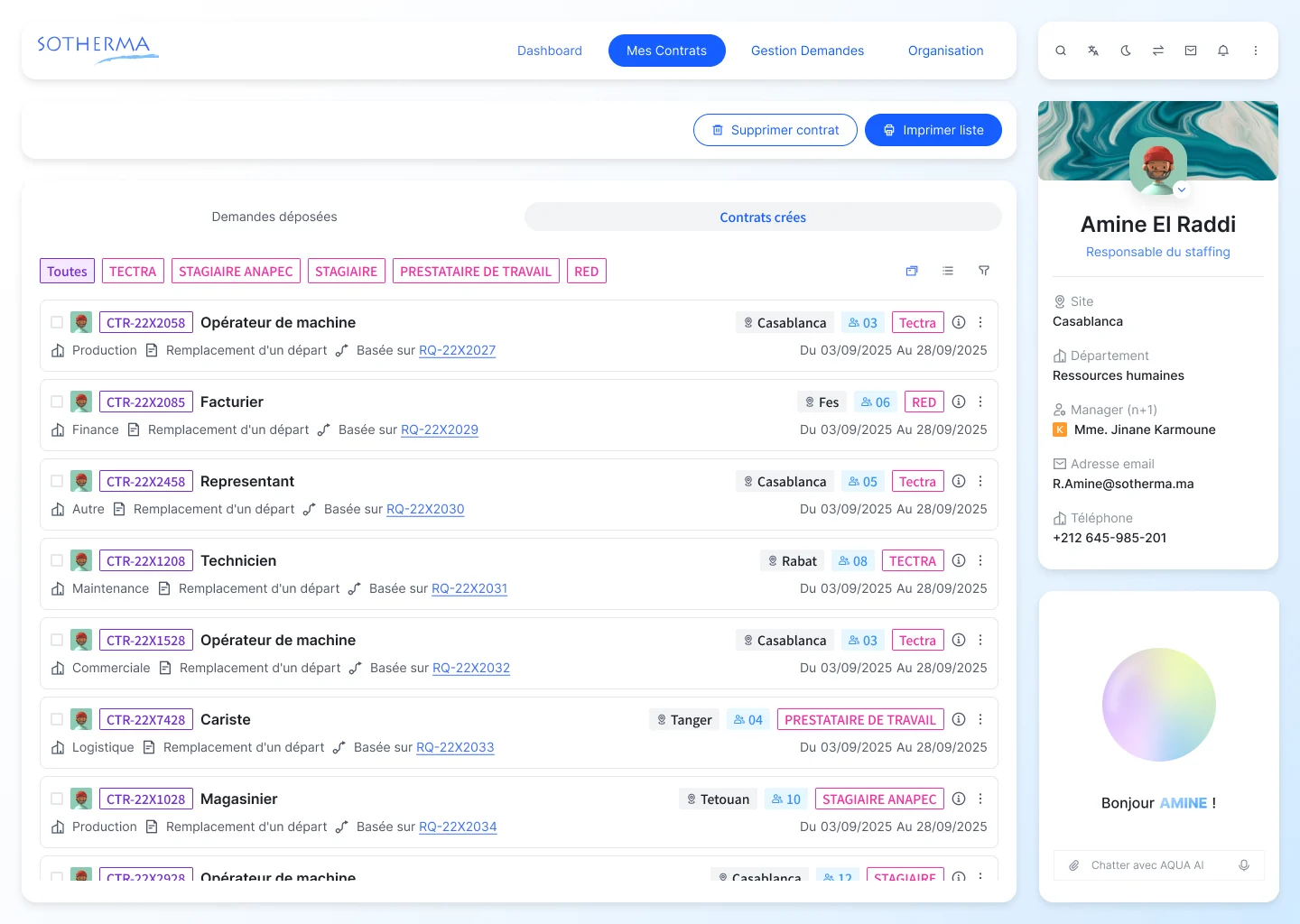
Every interim need becomes a numbered request.

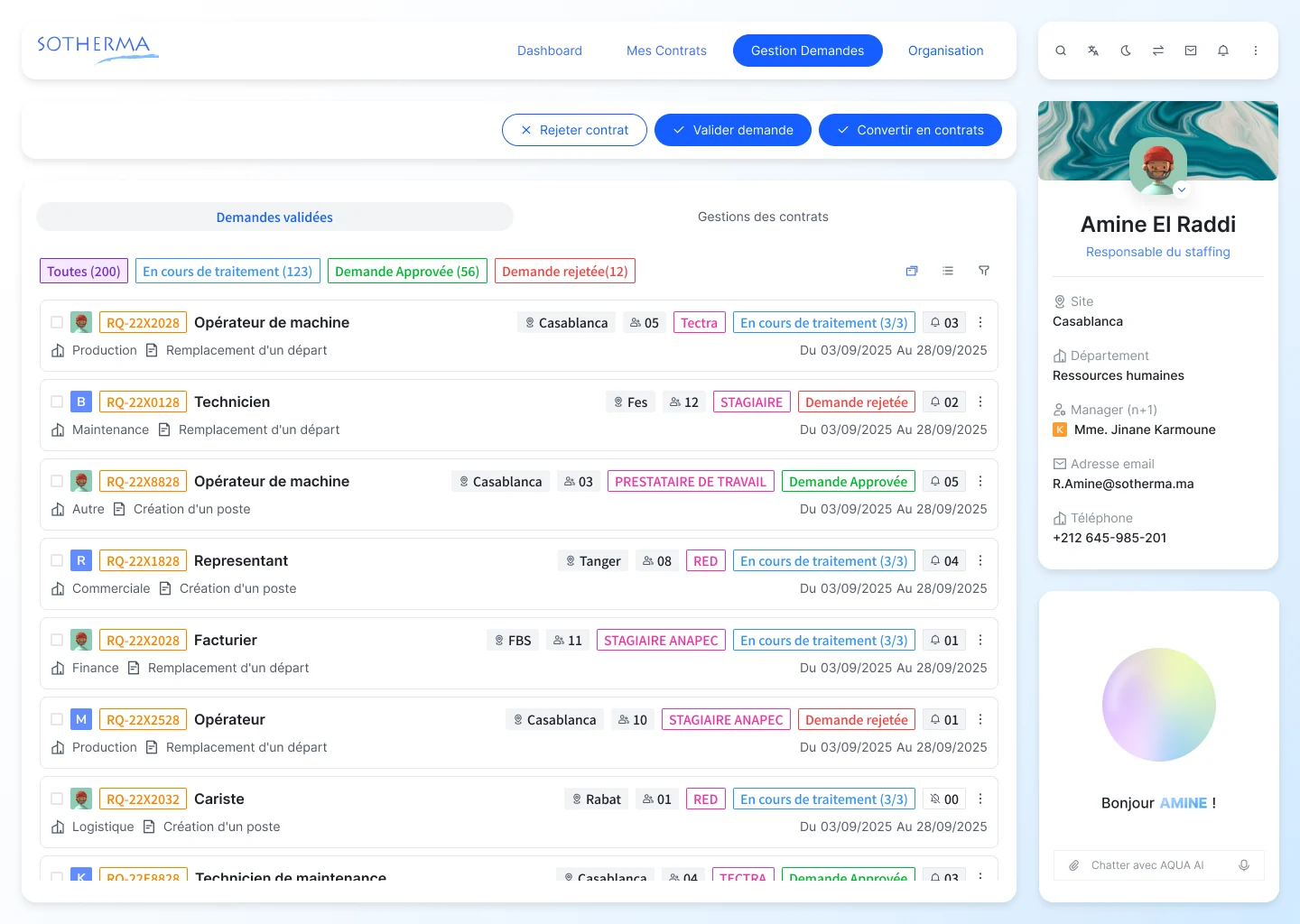
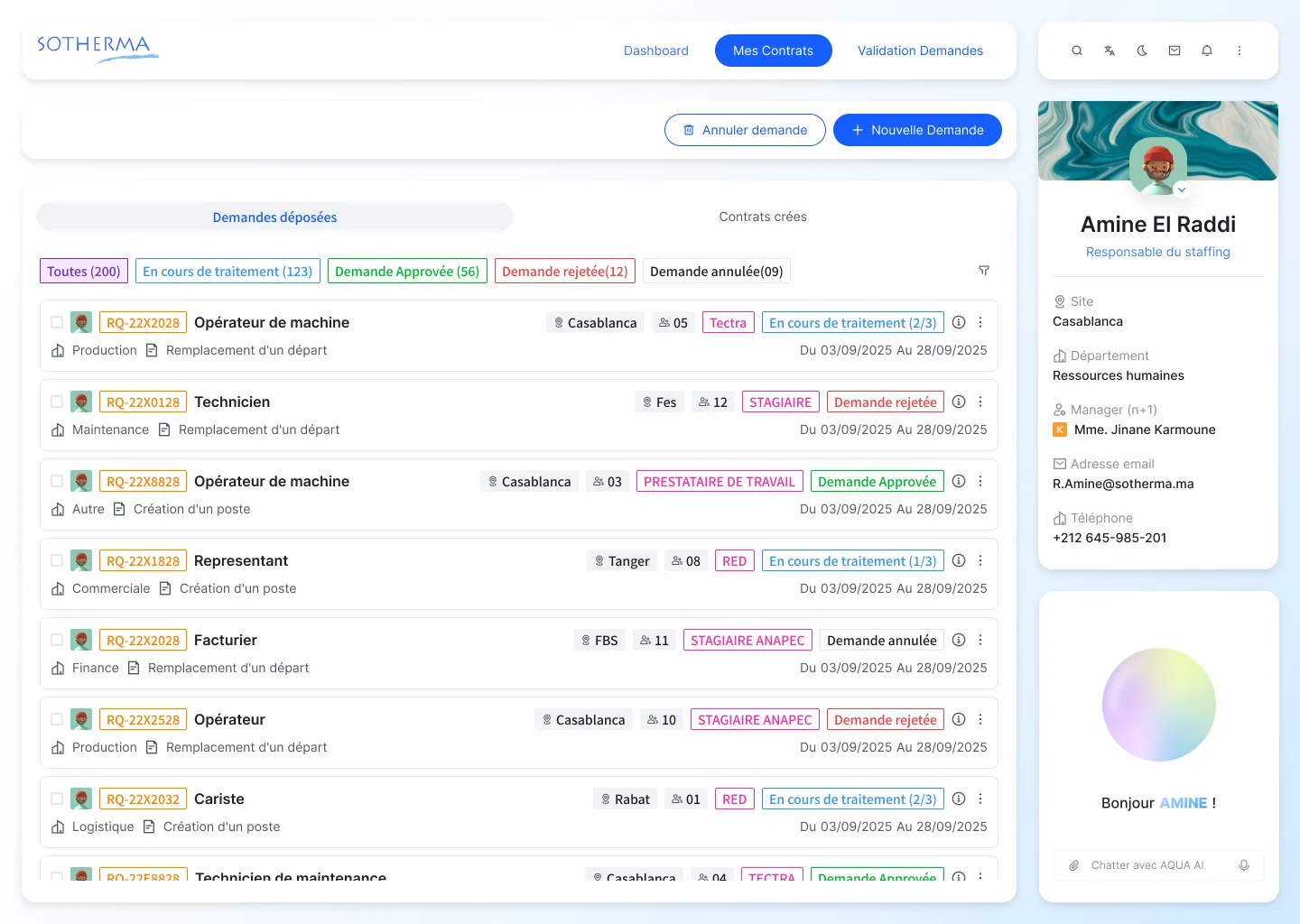
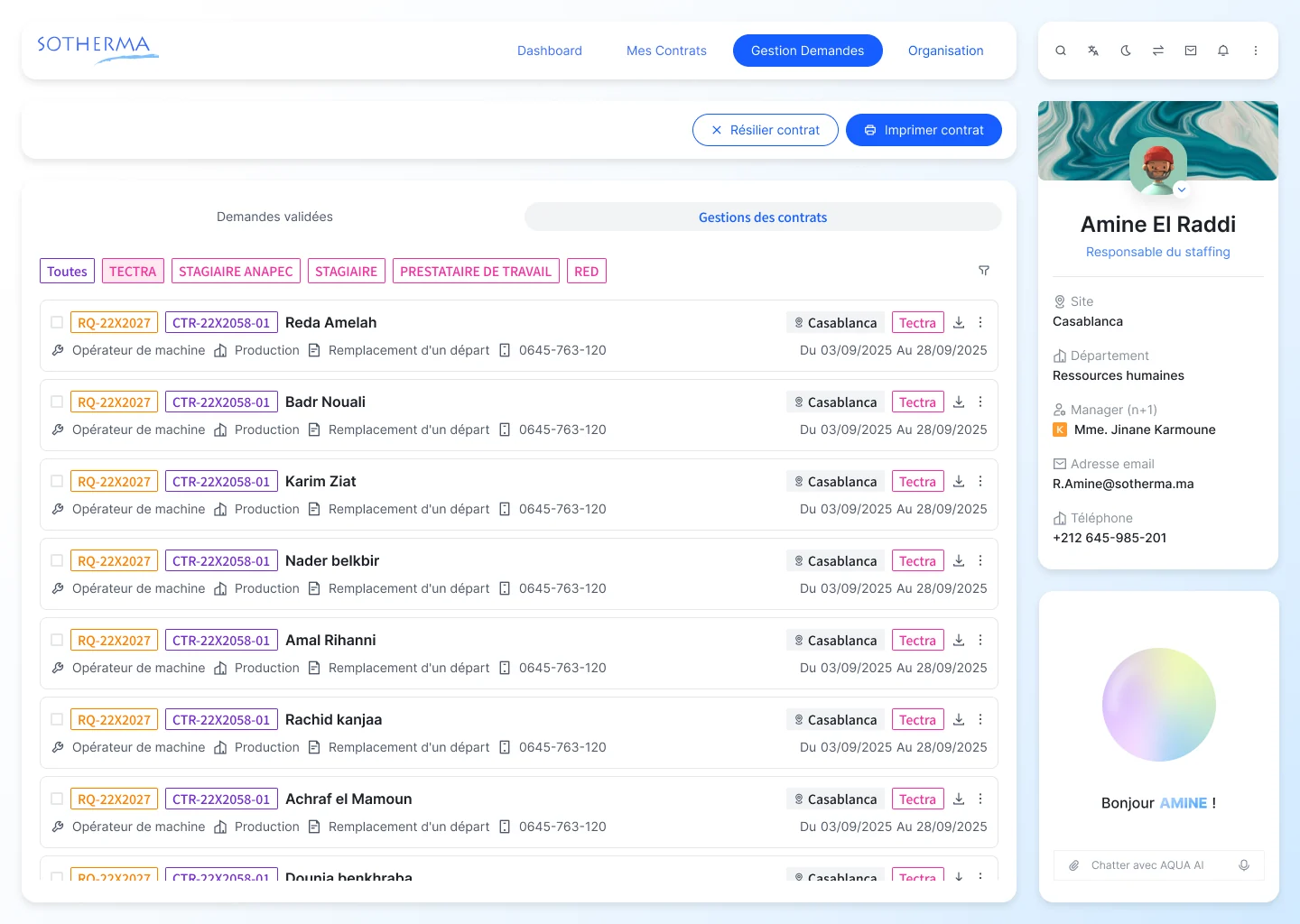
A manager files a request in EVA Interim: the role, the department, the site, how many people, the dates, the reason, replacing a departure or creating a position, and the channel, Tectra, ANAPEC, intern, contractor or RED. Each request gets a number and goes through three validation steps. HR works from one queue filtered by status, validates or rejects, and converts approved requests into contracts in one click.

Manager sideRequests filed by the manager, each with its live status, from processing to approved, rejected or cancelled.
StructuresSites, agencies, departments and contractors, each with its contact, set up once by HR.
05

Contracts that remember the request behind them.

When a request is converted, EVA creates one contract per person, pre-filled from the request. Each contract has its own number and links back to the request it is based on, so HR can always answer who asked, why and for how long. Contracts are filtered by channel, printed as a list, and followed until renewal or end.

06

Staffing, live, on one dashboard.

The staffing dashboard opens on the actions waiting for you, such as a request for 120 porters for the Fès site. Below, it shows requests filed, the share accepted and refused, contract renewals and those expiring soon, contracts per quarter, contracts by role, and the split of interims by channel. AQUA AI sits next to it to answer questions in plain language.

What teams get

Evaluation and interim staffing, traceable end to end.

What EVA gives employees, managers and HR, as deployed at Sotherma. Each point links back to the screen that delivers it.

0tabs

CV, skills, objectives and development plan, in one evaluation file

↳ Objectives & growth · chapter 02
0screen

for a manager to review every direct report, year by year

↳ My team · chapter 03
0channels

Tectra, ANAPEC, interns, contractors and RED, in one numbered request queue

↳ Interim requests · chapter 04
0click

to turn an approved request into contracts, each one linked back to its request

↳ Contracts · chapter 05
Live

requests, acceptance rate, renewals, expiring contracts and interims by channel and role

↳ Staffing dashboard · chapter 06
AphelionX product · Observe, guard, benchmark

ArgusAiOps

One package to run AI in production. LLM observability and evaluation, programmable guardrails and inference benchmarking, fused with GPU and fine-tuning monitoring, so AI engineers, product owners and compliance work from the same screens, in any industry.

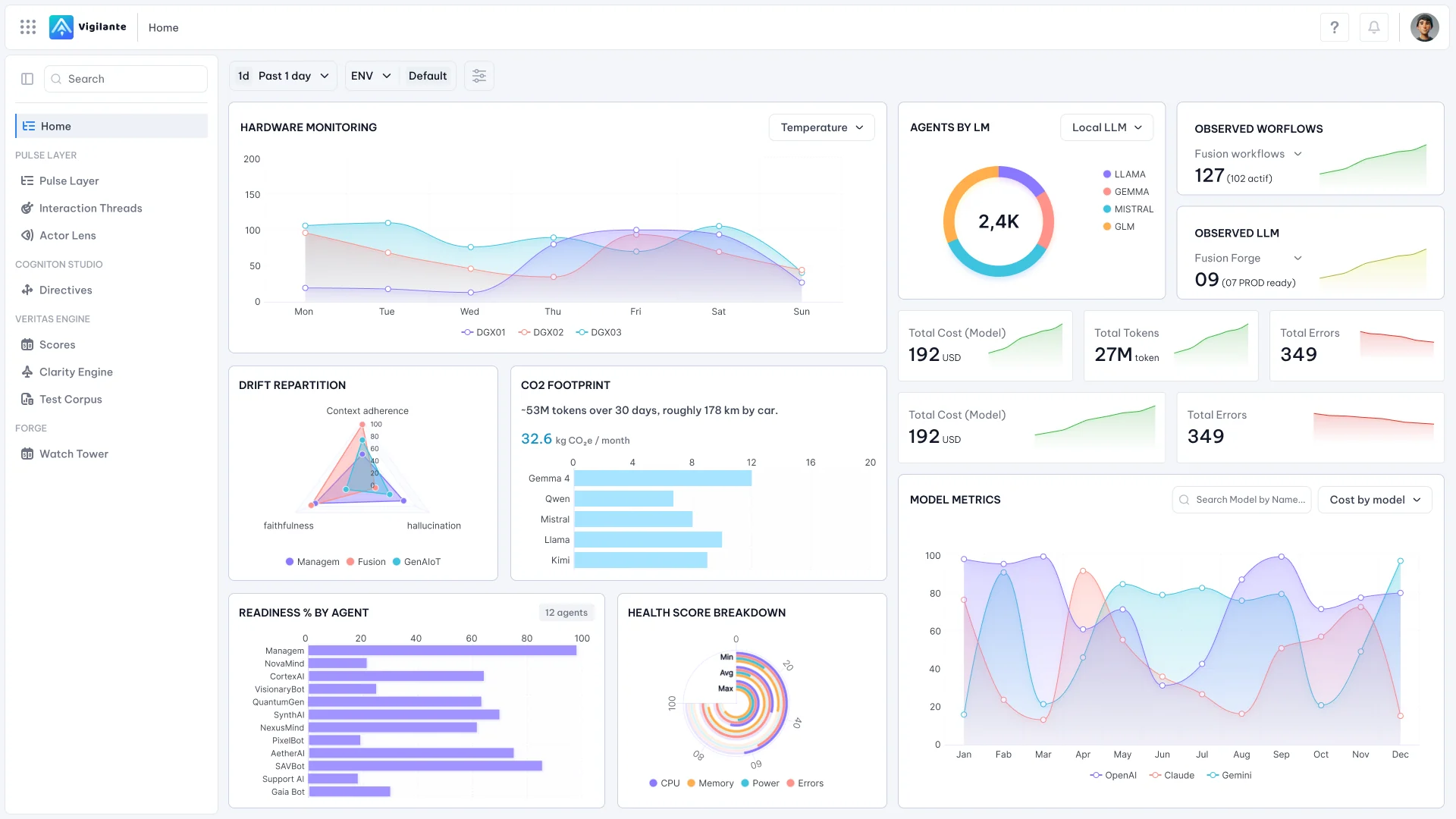
ArgusAiOps home dashboard

About

ArgusAiOps is AphelionX’s own product. Teams putting AI into production usually stitch together one tool to trace and evaluate, another to filter what models say, another to load-test endpoints, and spreadsheets for GPUs. We fused all of it into one package, one login and one design.

It is not tied to one industry. The same screens follow a healthcare assistant, a financial advisor bot, a real-estate analyst or a predictive-maintenance agent, on your own GPUs or on hosted APIs.

Engines0observe, guard, benchmark
Modules0from traces to training
Package0login, one place
What it fuses
Tracing & sessionsPrompt managementLLM-as-a-judge evaluationDatasets & experimentsProgrammable guardrailsInference benchmarksCost & carbonGPU & fine-tuning
Industries
Any team running AI: finance, healthcare, industry, real estate, education, public sector
Models
Local models on your GPUs and hosted APIs, side by side
AI inside
Judge models that score answers, guard models that filter them
Built by
AphelionX: research, design, development and run
Made for
AI engineersData scientistsProduct ownersCompliancePlatform & ITLeadership
Solution

Observe, guard and benchmark, in one package.

Each chapter below answers one of the problems above with the real screen that solves it. Hover the numbered points to see what each part does.

Step 1Connect

Plug in your agents, your local models and your hosted APIs.

Step 2Observe

Every run traced, with its latency, tokens, cost and carbon.

Step 3Evaluate & benchmark

Judge models score answers; load tests measure speed before go-live.

Step 4Guard & improve

Rails on every input and output, versioned prompts, fine-tuning.

01

Your whole AI estate, on one screen.

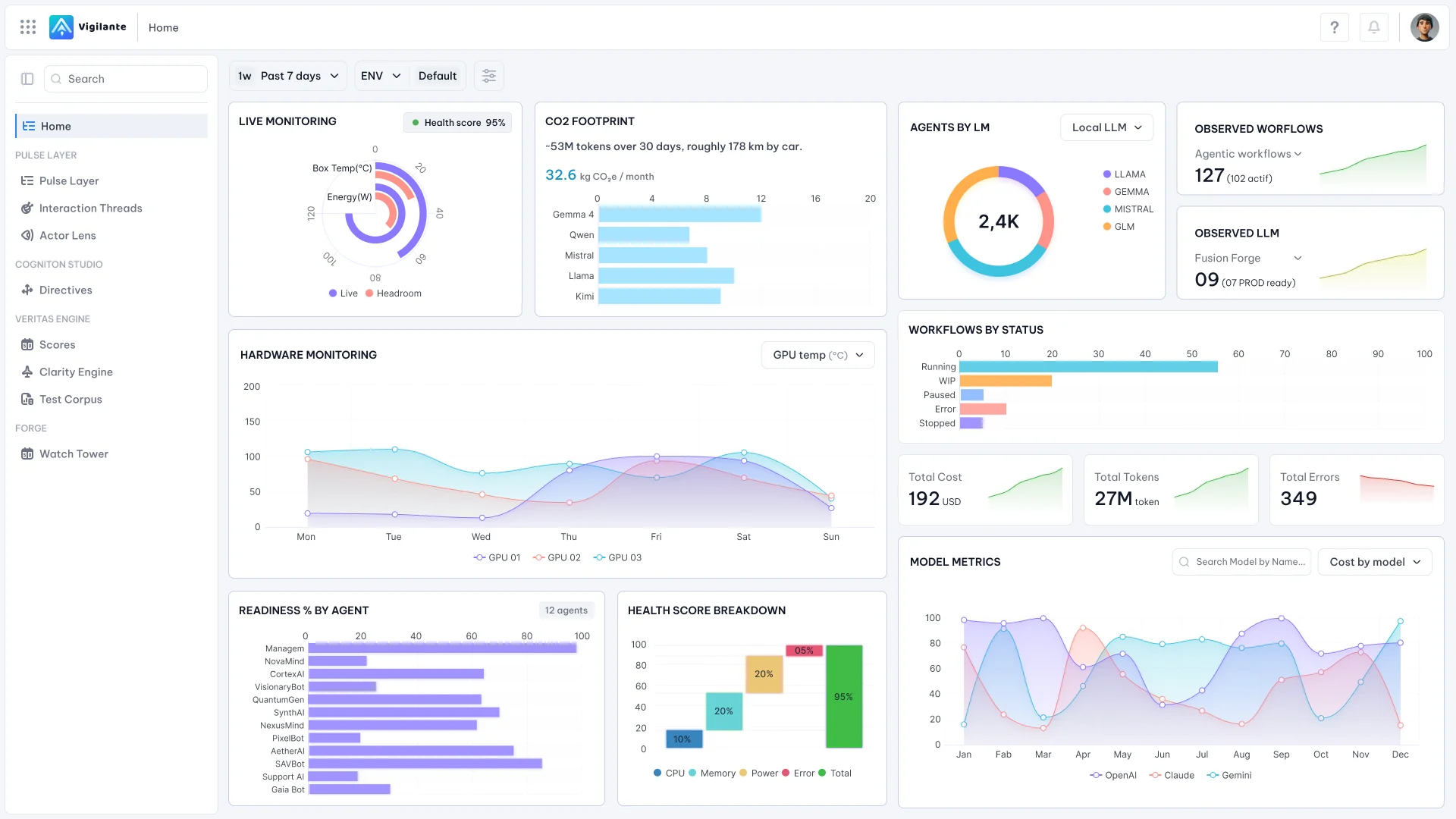
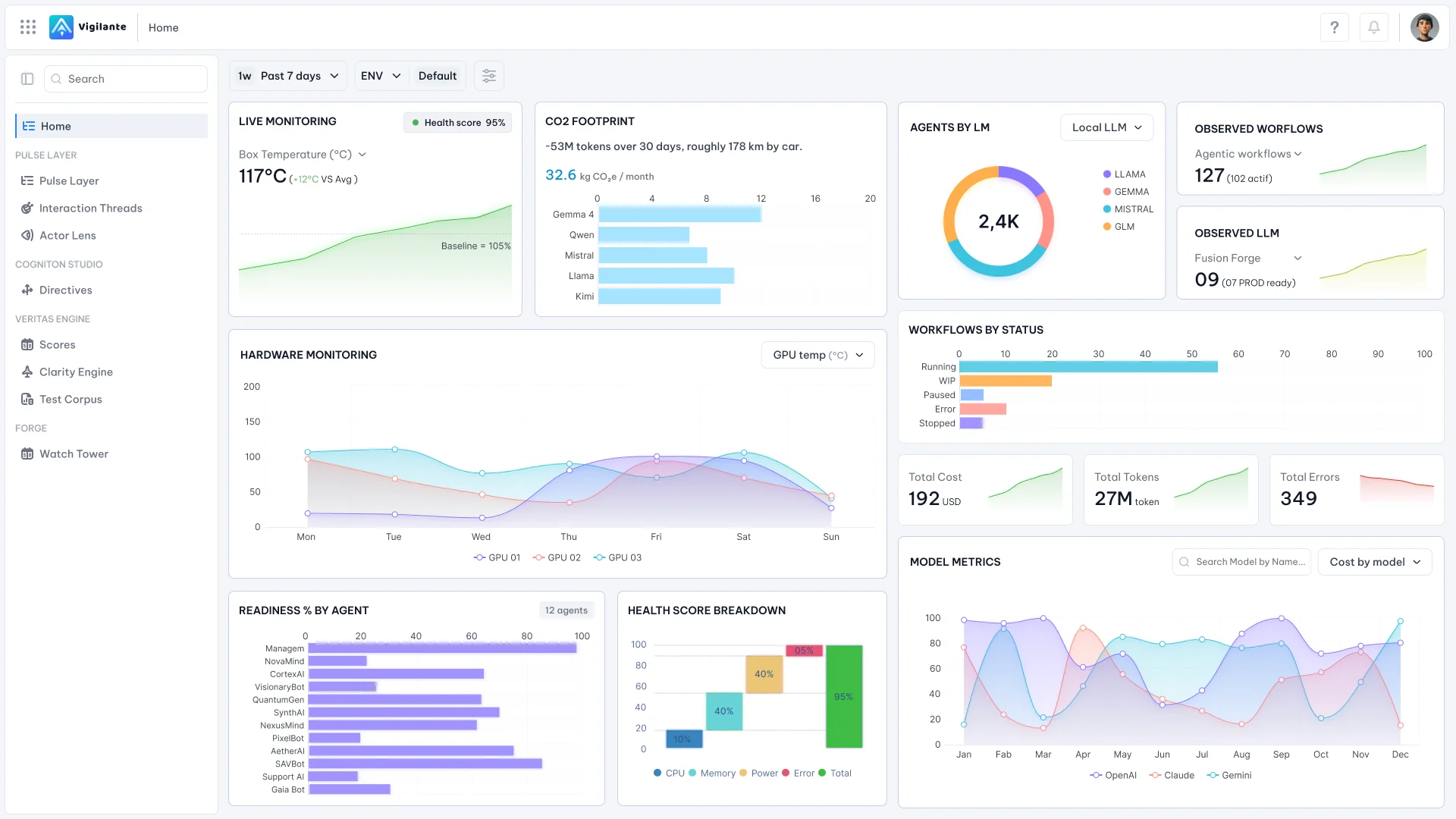
The home dashboard brings everything together: the load of each GPU, which agents use which local or hosted model, cost, tokens and errors for the period, the drift and readiness of every agent, and the carbon footprint of the month. Live monitoring and workflow status sit in the same view, so leadership and engineers read the same numbers.

Live monitoringHealth score, temperature and power of the hardware, with workflows by status.
Health breakdownWhere the health score goes, between CPU, memory, power and errors.
02

Every agent run, traced end to end.

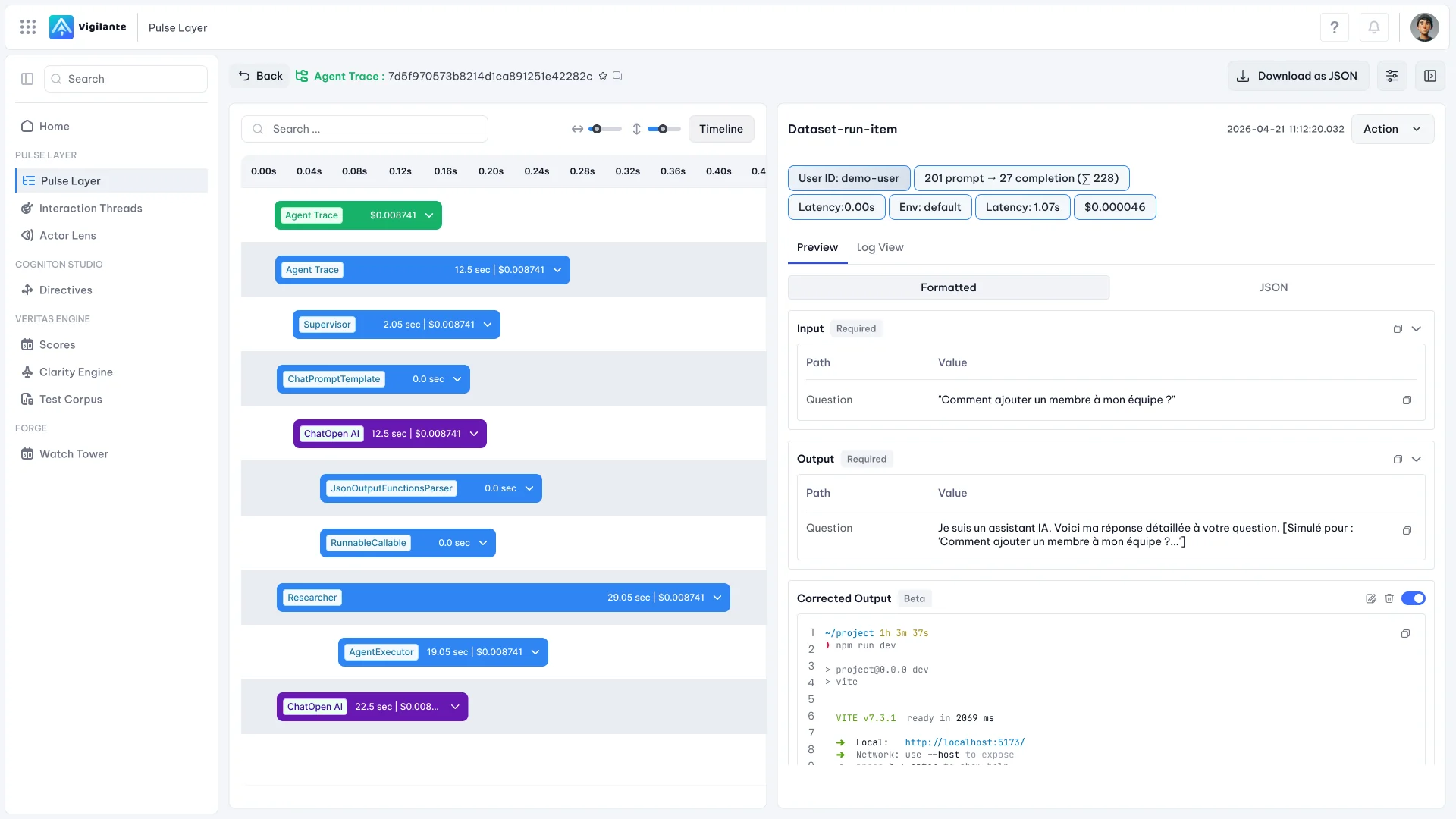
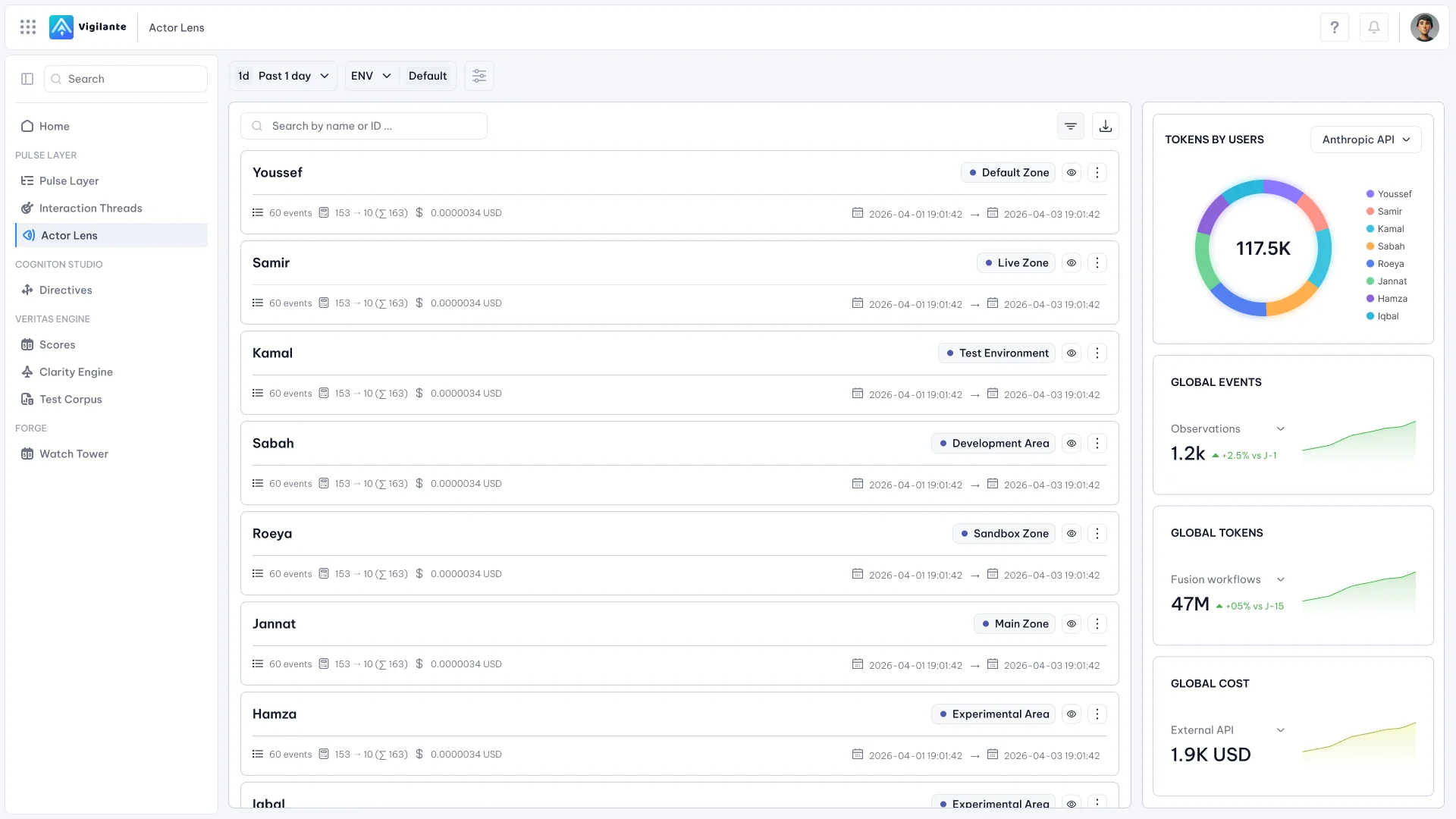
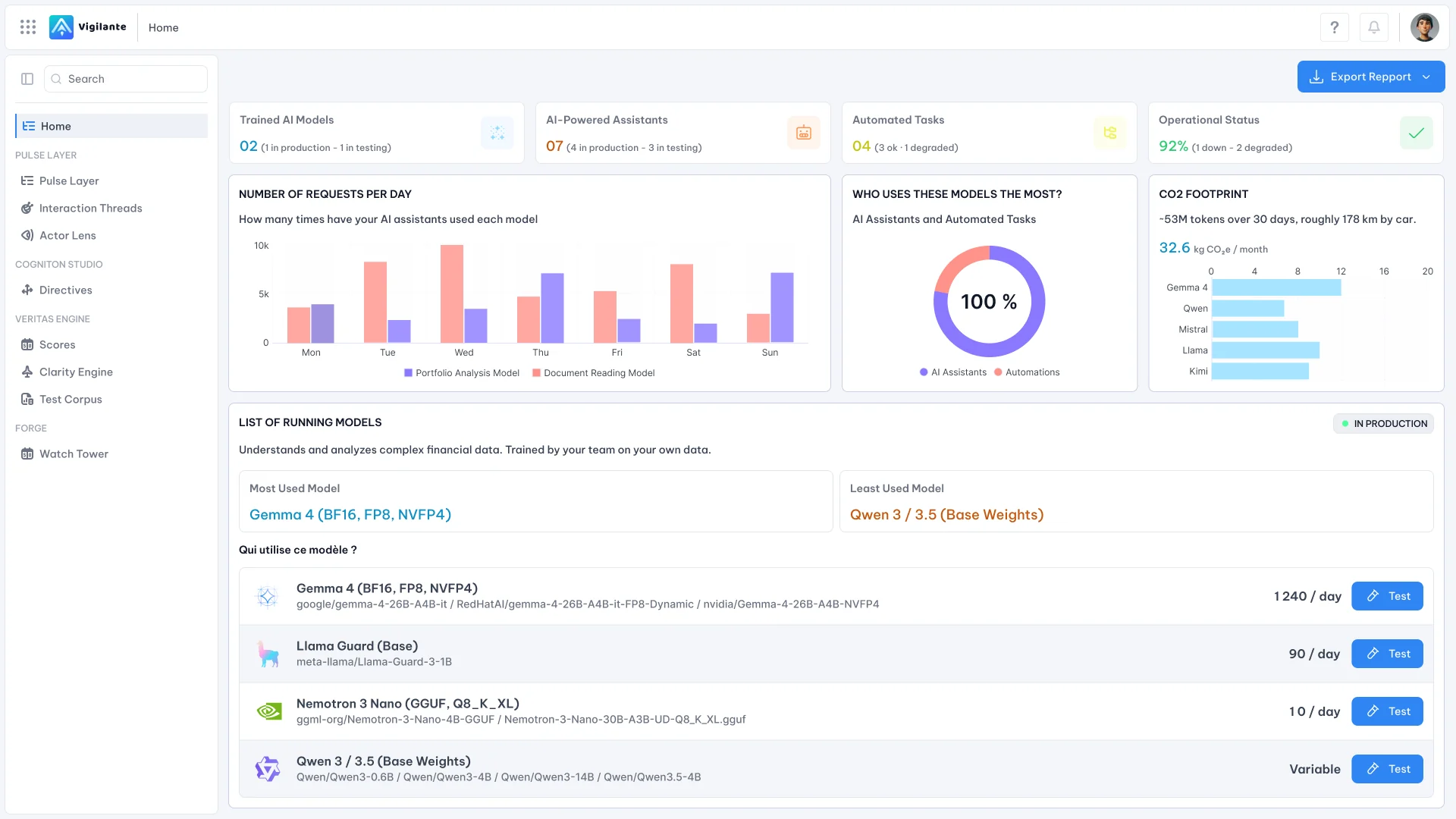
The Pulse Layer records every trace with its nested steps: supervisor, prompt template, model generation, tool and parser, each with its duration, tokens and cost, next to the exact input and output. Runs group into sessions to replay whole conversations, and into users to see who consumes what. Model stats show which assistants are used most and which model serves them.

Actor LensTokens, events and cost per user, with global trends.
Model statsRequests per day, the models behind each assistant, and their carbon cost.
03

Prompts become versioned products.

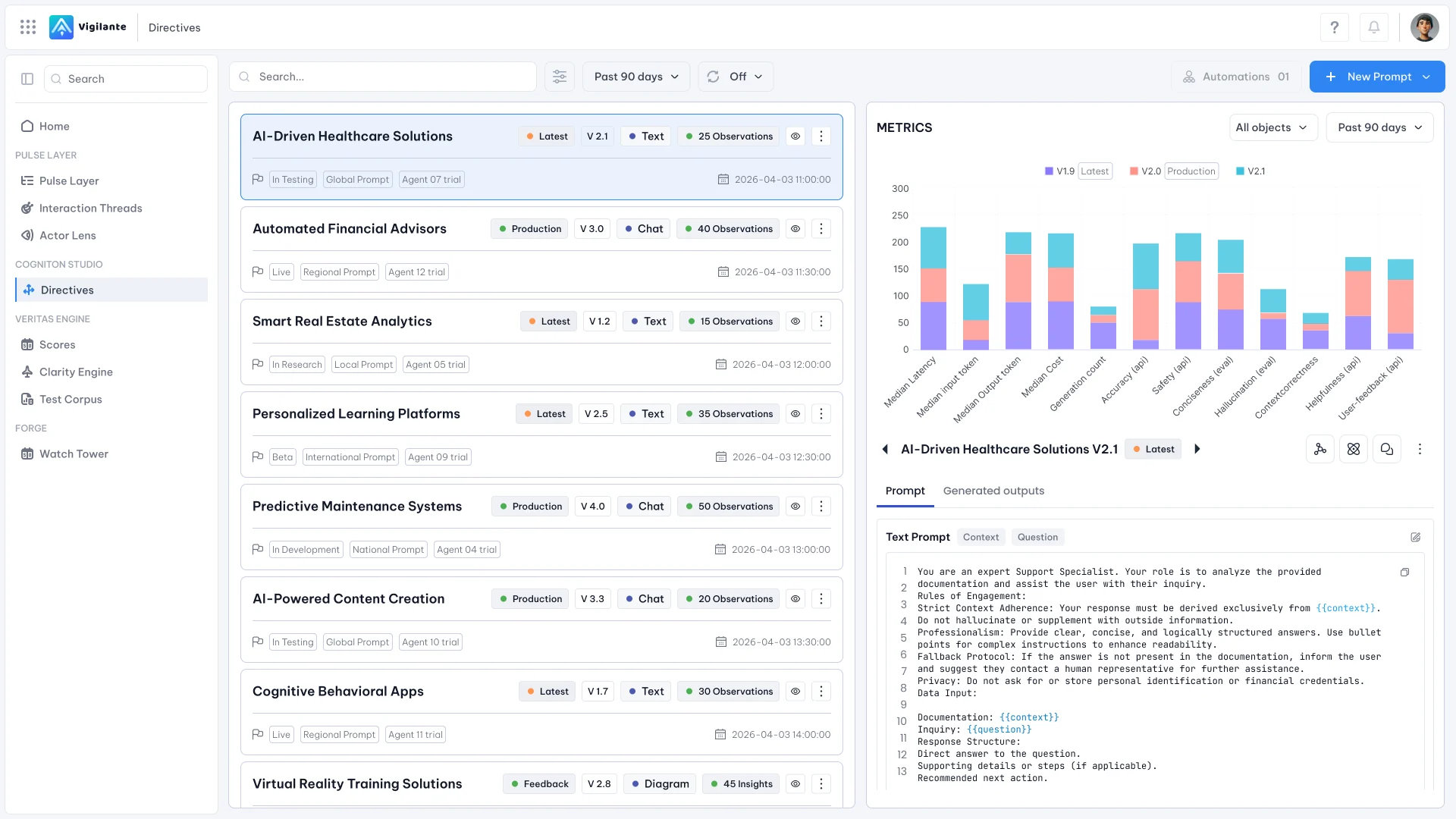
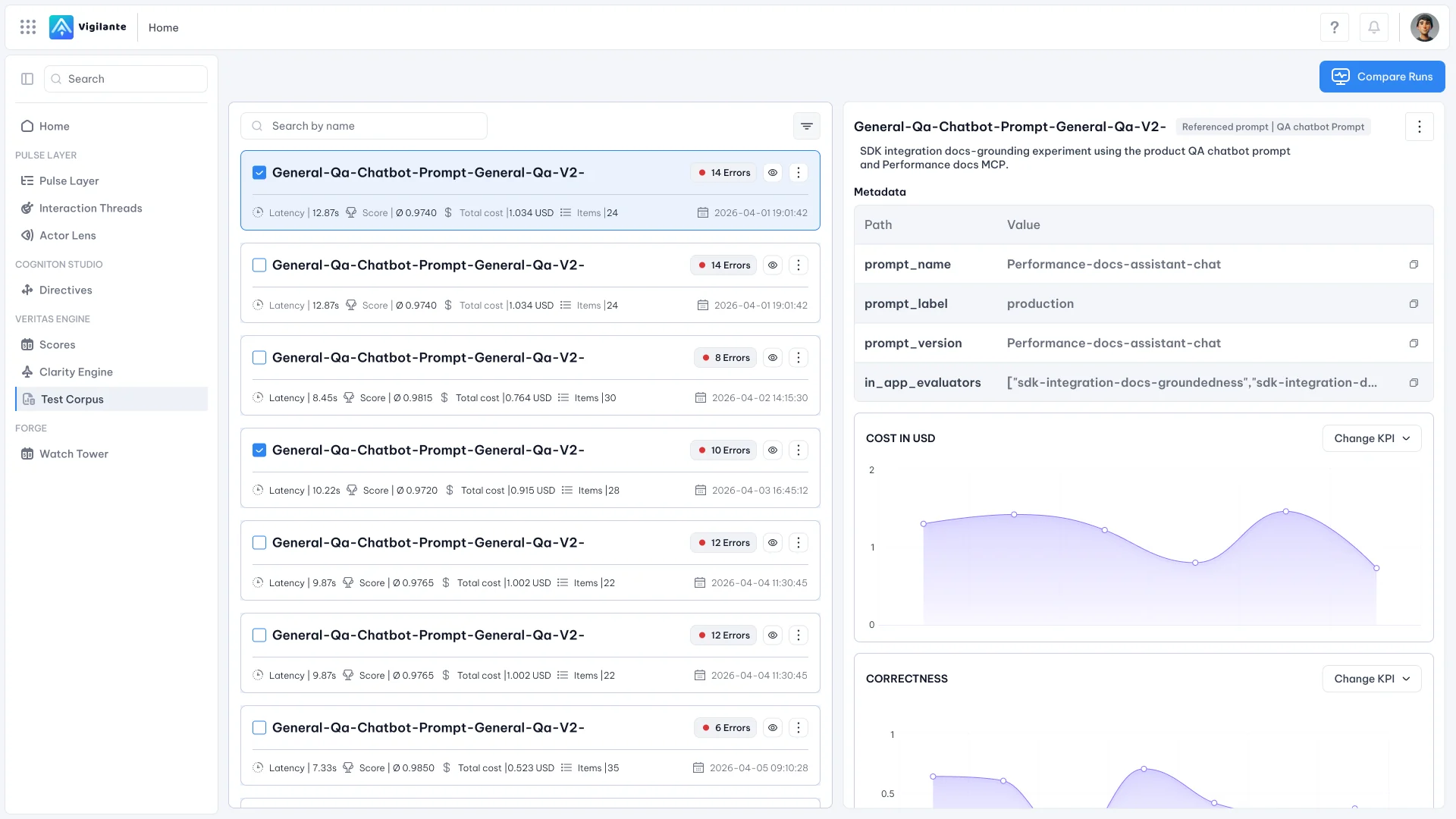
Cogniton Studio takes prompts out of the code. Each one is a directive with an owner, versions and labels such as latest or production, so an app always fetches the right version and a rollback is one click. Every version shows the observations it produced and how it scored, teams compare V1.9, V2.0 and V2.1 on data before promoting one, and every trace links back to the exact version behind it.

04

Quality measured, not guessed.

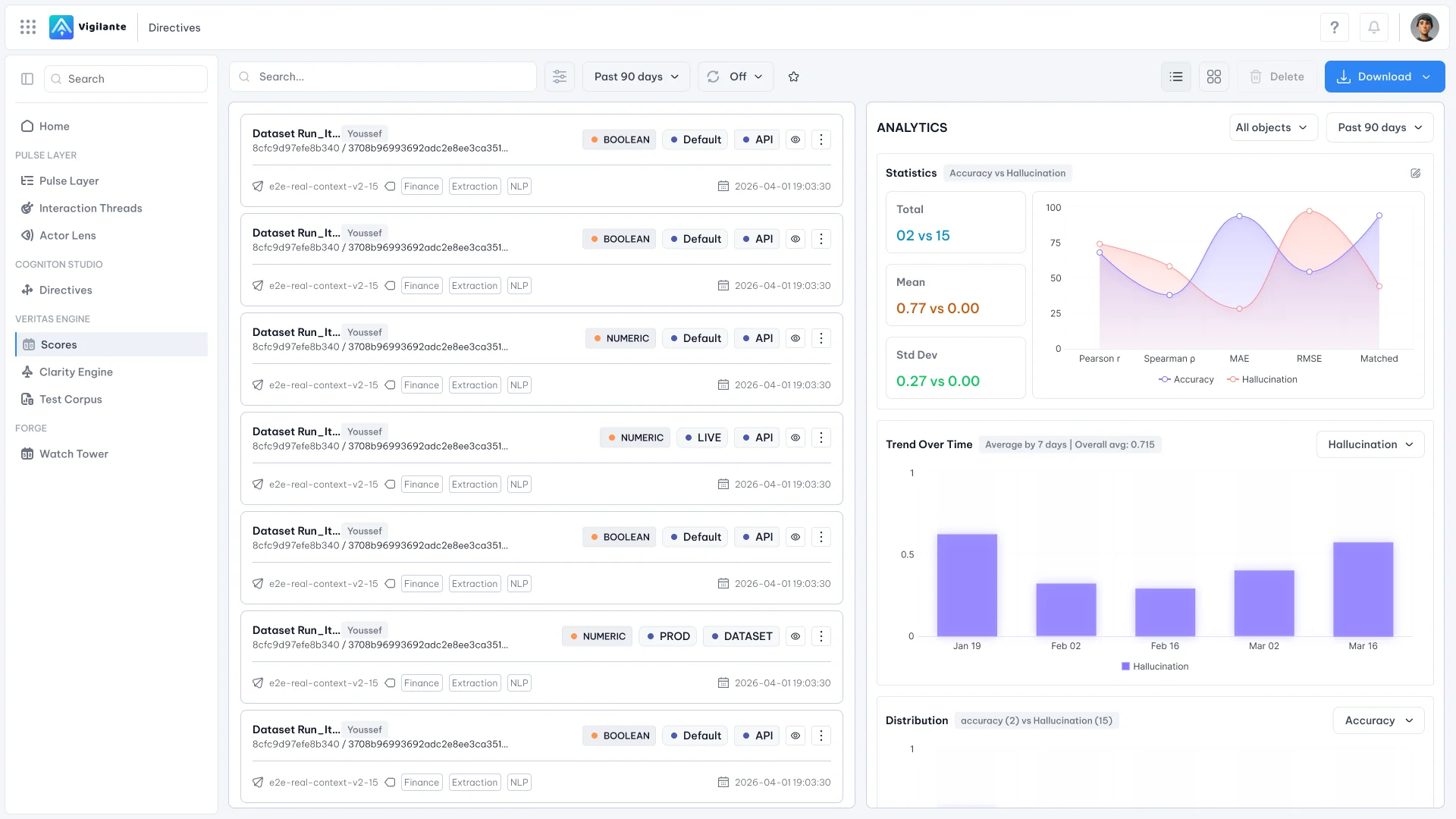
The Veritas Engine scores answers three ways: judge models that rate hallucination, context correctness, conciseness, helpfulness and goal accuracy on a sample of live traffic; reviewers who correct answers by hand; and scores sent from your own code. Corrected answers become dataset items, and every prompt or model change runs as an experiment on those datasets, with its cost and correctness side by side, before it reaches users.

05

Programmable guardrails compliance can sign off.

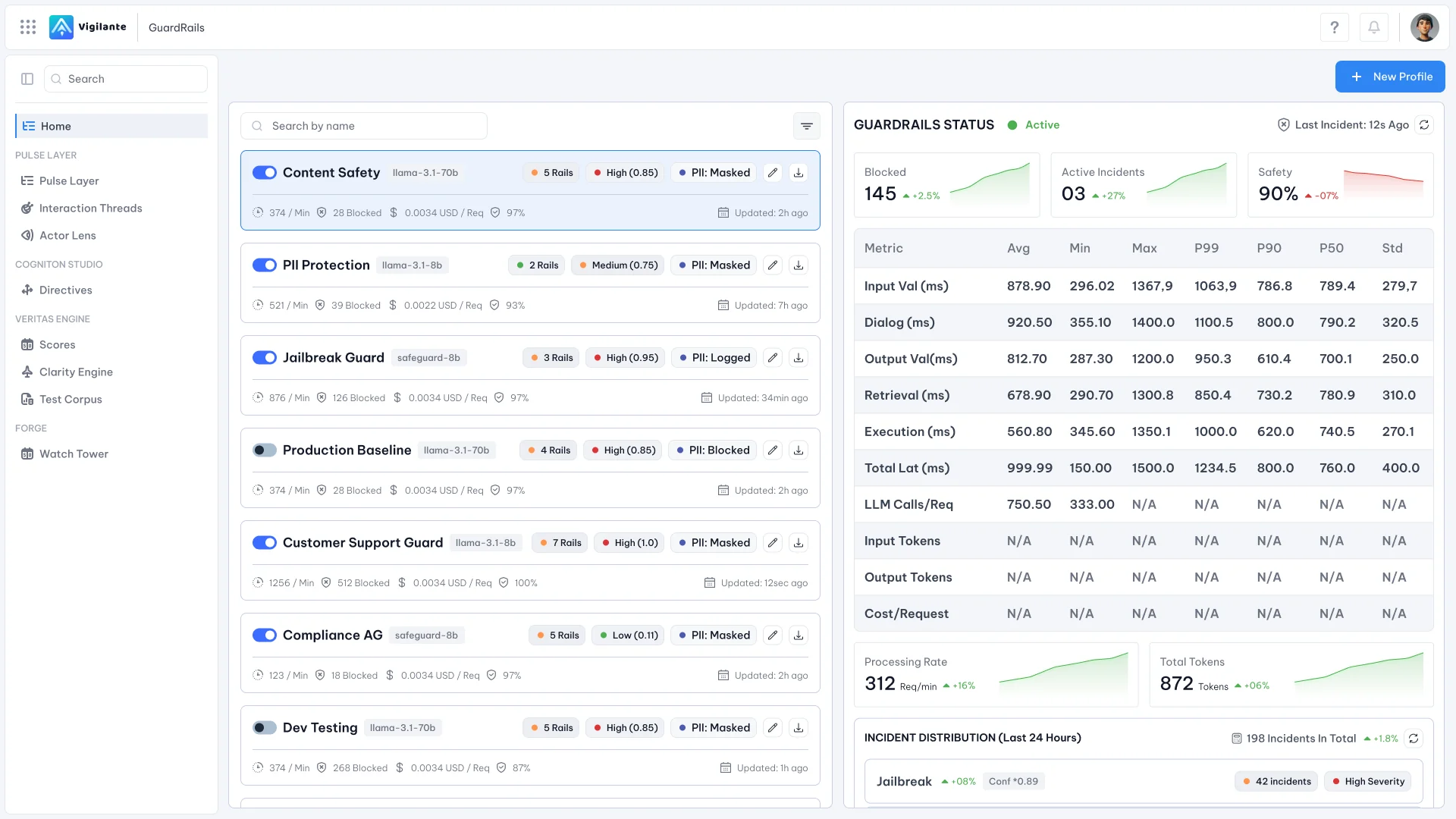
Every agent sits behind a guardrail profile. Input rails stop jailbreak attempts and unsafe requests before they reach the model; output rails catch personal data, unsafe content and off-policy answers before they reach the user; topic rails keep each agent on its subject. Each rail runs on a small dedicated guard model with its own threshold, and personal data is masked, blocked or logged, profile by profile. The status panel shows what was blocked, the open incidents and the latency each rail adds.

06

Know how fast a model is before your users do.

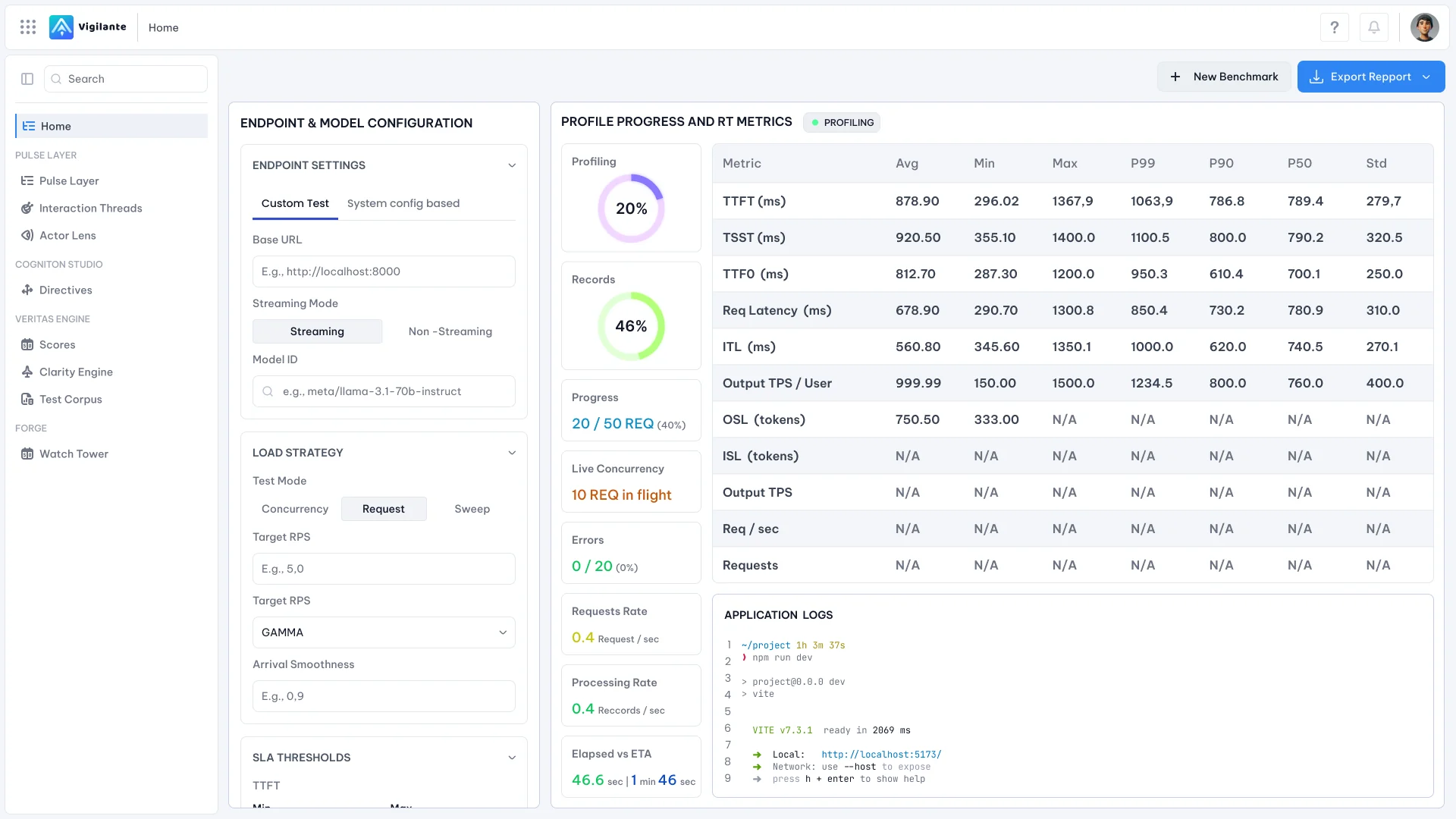
The benchmark runner load-tests any endpoint, local or hosted, streaming or not. Pick a load profile, fixed concurrency, a request rate or a sweep, set SLA thresholds, and watch it run live: time to first token, time between tokens, request latency and token throughput per user, from average to P99. The exact command is saved with the report, so anyone can rerun it after a model or hardware change.

07

GPUs and fine-tuning, watched like production.

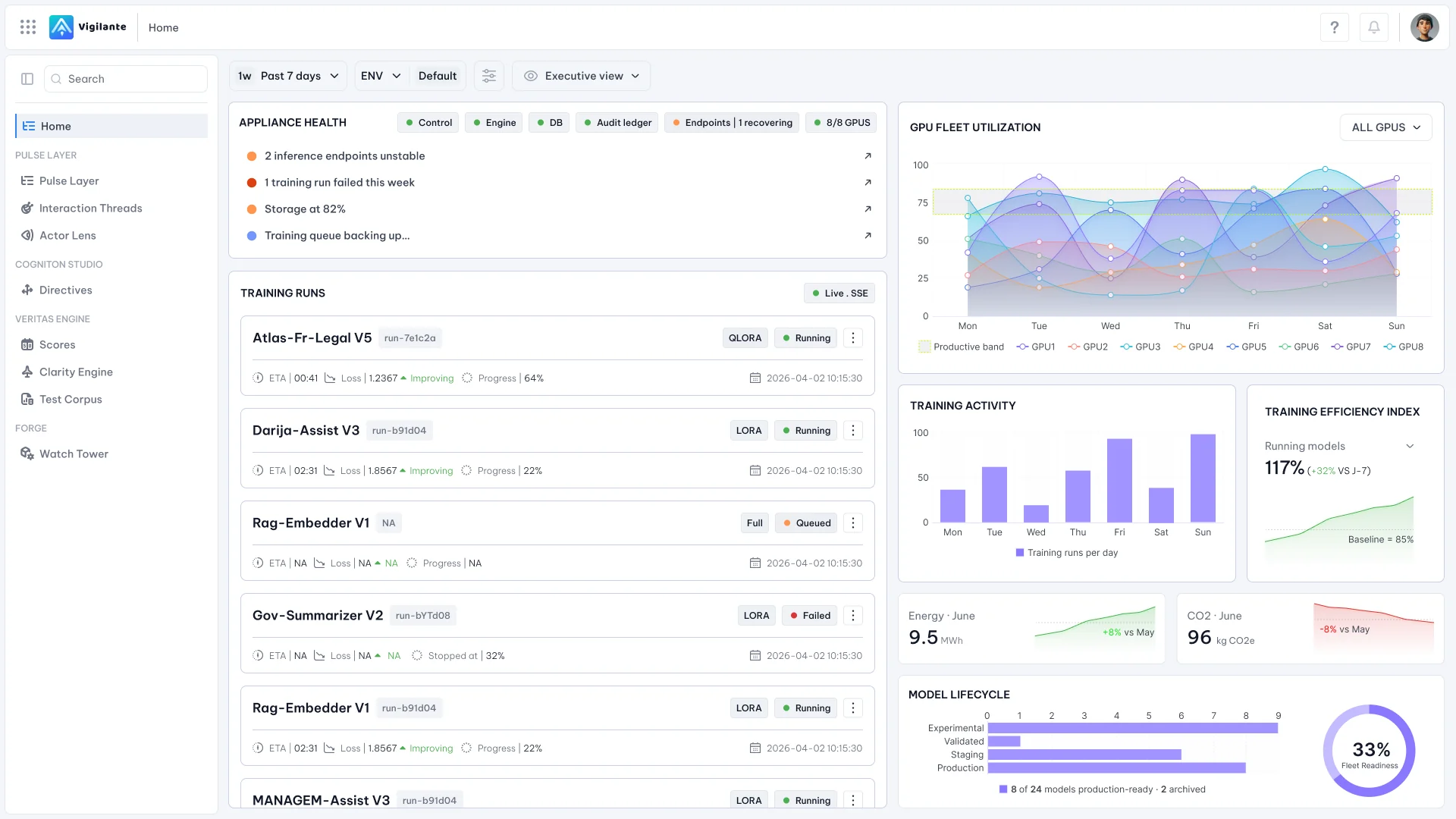
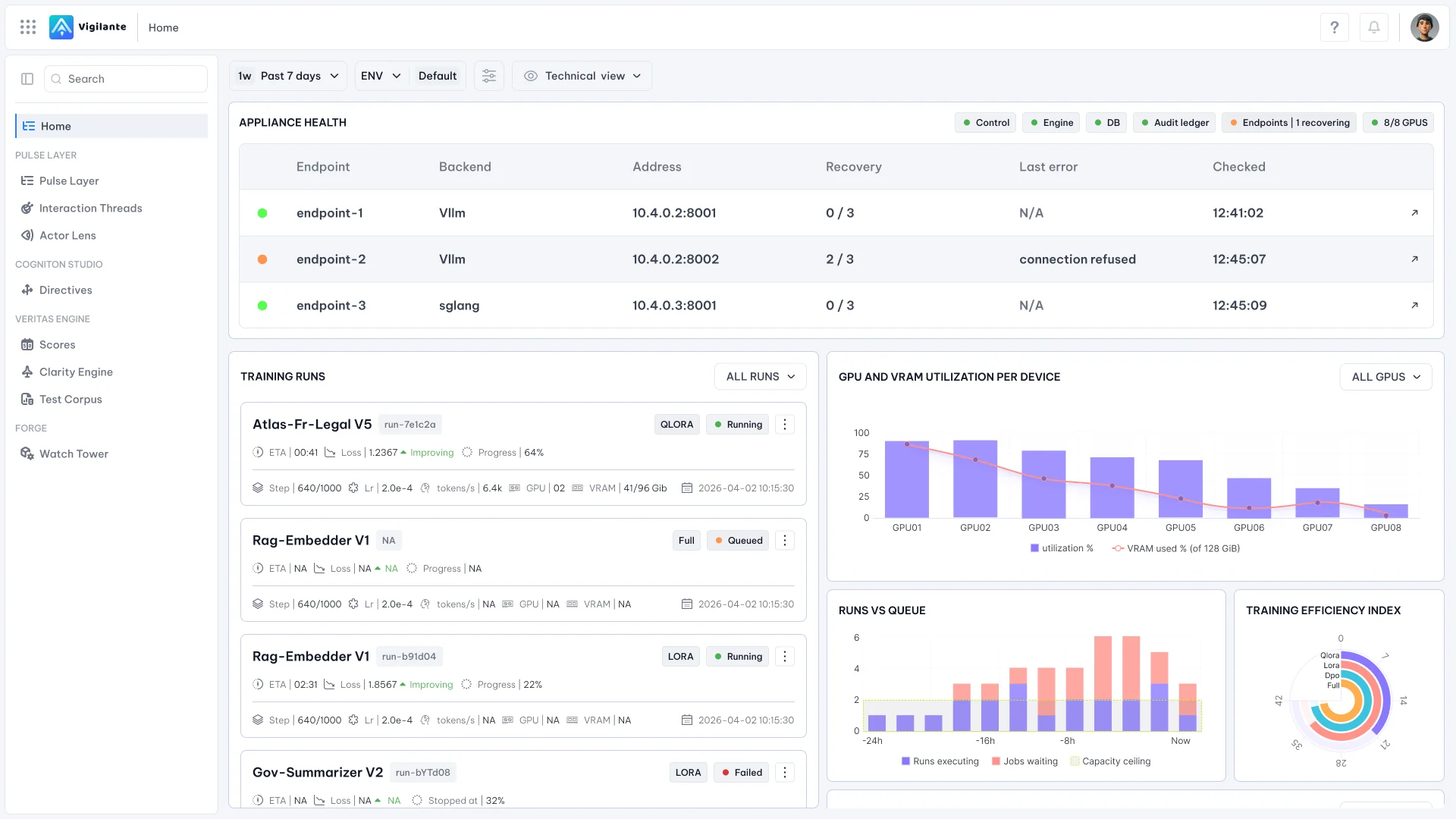
Forge follows every training run, QLoRA, LoRA or full, with its loss, progress and ETA, and raises an alert when an endpoint goes down or a run fails. The executive view shows GPU fleet use and each model’s path from experimental to production; the technical view shows endpoint health, GPU and VRAM per device, and runs against the queue.

What you get

From demo to production you can prove.

What ArgusAiOps gives your team. Each point links back to the screen that delivers it.

0click

to promote or roll back a prompt version, with its scores in view

↳ Cogniton Studio · chapter 03
0ways

to score answers: judge models, human review and your own code

↳ Veritas Engine · chapter 04
0rail types

on every agent: input, output and topic, each on its own guard model

↳ Guardrails · chapter 05
P99

time to first token and throughput of every endpoint, measured before it takes traffic

↳ Benchmark · chapter 06
Local + cloud

models on your GPUs and hosted APIs, watched, compared and fine-tuned side by side

↳ Forge · chapter 07